
STC H433/H465 Device Driver v.8.4.229.0, v.8.4.214.0 Windows 7, Windows 10
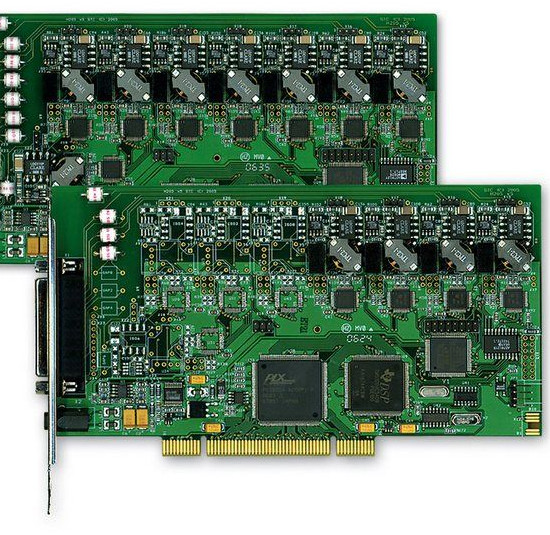
STC, known on the international stage for many years, is a reliable manufacturer. It is worth noting that the latest driver update date is August 15, 2016. You can be sure that this driver is fully compatible with Windows 7 and Windows 10 operating systems. On our website, you can find and download the official driver for STC H433/H465 devices absolutely free of charge. The file size is only 3.5 MB. After the download is complete, simply click the installation file to begin the installation process on your computer. If, despite using our drivers, you encounter difficulties configuring the equipment, leave a comment – we will be happy to help you. All files available for download undergo thorough virus checks and are guaranteed to be safe for your device. We also recommend taking screenshots of any errors if they appear, so that we can provide more prompt and accurate assistance.
Q&A
How long has STC existed and when was the driver last updated?
STC is a well-known global brand that has existed for many years. The driver was last updated on August 15, 2016.
Which operating system is the STC H433/H465 driver suitable for?
This driver is compatible with Windows 7 and Windows 10 operating systems.
Where can I download the STC H433/H465 driver and how much does it weigh?
You can download the official STC H433/H465 Device Driver for free from our website. The file size is only 3.5 MB.
What should I do after downloading the driver?
After downloading the file, you need to run the installation file and follow the instructions to install the driver on your computer.
What should I do if I have difficulties configuring the equipment?
If you were unable to properly configure the equipment using our drivers, leave a comment, and we will try to help you.
How is the safety of the files offered for download ensured?
All files that we post on our website undergo thorough manual virus checks, which guarantees their complete safety for your computer.
What should I do if errors occur during installation?
If errors occur during installation, take screenshots of them. This will help us provide more accurate and effective assistance.
Download:
H433_driver_x64.msi – Windows 7/Server 2012 64 bits (3.5 mb) v.8.4.214.0 – 13.05.0213
H433_driver_Win10_x64.msi – Windows 10 (3.1 mb) v.8.4.229.0 – 15.08.2016
drv_STC_H433_64.zip – (4.7 mb)
HX-E2.zip – (1.2 mb) v.6.5.0.0 – 19.08.2011
Driver_20of_20PT-100_20CARD.zip – (2.2 mb) v.1.2.0.0 – 02.02.2004