
Realtek High Definition Audio (HDA) Driver v.6.0.9273.1 Windows 10, Windows 11
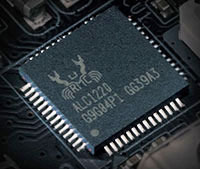
Many people know about the company Realtek, which has had an international reputation for many years. We would like to remind you that the latest official driver release is dated November 25, 2021. You can be sure that this driver is fully compatible with Windows 10 and Windows 11 operating systems. The official Realtek High Definition Audio (HDA) driver is available for free download on our website. Its size is only 203.00 MB. After downloading, you need to open the installation file and follow the instructions to install it on your computer. If you encounter difficulties configuring the hardware even after installing our drivers, leave a comment, and we will try to help you. All files we offer undergo thorough virus checks, so you can be confident in their safety for your device. If any errors occur, be sure to take screenshots — this will help us provide more accurate assistance.
Q&A
What is the Realtek High Definition Audio driver?
The Realtek High Definition Audio driver is software required for the proper operation of the Realtek sound card on your devices. It ensures high-quality audio playback and recording.
Where can I download the Realtek driver?
You can download the Realtek driver from our website completely free of charge. It is available for download and easy to install.
Which operating systems is the driver compatible with?
This driver is compatible with Windows 10 and Windows 11 operating systems, which allows it to be used on modern computers.
How do I install the driver after downloading?
After you have downloaded the file, simply double-click the installation file and follow the on-screen instructions to complete the driver installation on your PC.
What should I do if the sound does not work after installation?
If the sound does not work even after installing the driver, leave a comment describing your problem, and we will try to help you solve it. Be sure to take screenshots of the errors for more accurate diagnosis.
How safe are the files available for download?
All files we offer for download undergo strict virus checks, making them completely safe for your computer.
Download: