
Realtek Bluetooth 4.0 (RTL8723BE/8723AU/…) Driver v.1.9.1051.3003 Windows 10, Windows 11
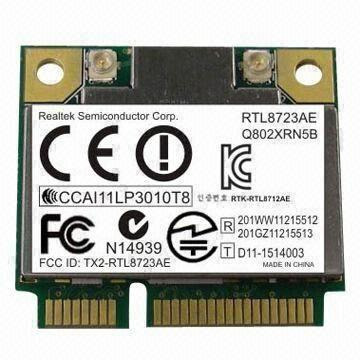
Realtek, a company known internationally for many years, released the latest update to its drivers on June 22, 2022. We can confidently say that this driver is fully compatible with Windows 10 and Windows 11 operating systems. On our website, you can download the official Realtek Bluetooth 4.0 (RTL8723BE/8723AU/..) driver for free. The file size is only 50.2 MB. After downloading, simply open the installation file and follow the instructions to install it on your computer. If, despite using our drivers, you encounter difficulties configuring the hardware, leave a comment — we will definitely help you. All files we offer for download are thoroughly checked for viruses and are completely safe for your device. If errors occur, be sure to take screenshots of them; this will allow us to identify the problem more accurately and suggest an effective solution.
Q&A
What is Realtek and when was the latest driver released?
Realtek is a well-known company that has been operating in the global market for many years. The latest driver update from this company was released on June 22, 2022.
Are Realtek drivers suitable for newer versions of Windows?
Yes, Realtek drivers are fully compatible with Windows 10 and Windows 11 operating systems.
Where can I download the Realtek Bluetooth 4.0 driver and what is its size?
You can download the official Realtek Bluetooth 4.0 (RTL8723BE/8723AU, etc.) driver absolutely free from our website. The size of this driver is only 50.2 MB.
How do I install the driver after downloading it?
After you have downloaded the driver, simply open the downloaded file and follow the instructions to install it on your computer.
What should I do if I have problems configuring the hardware?
If you are unable to configure the hardware using our drivers, just leave a comment and we will try to help you.
How safe are the files offered for download?
All files we offer for download are thoroughly checked for viruses and are completely safe for your device.
What should I do if errors occur during installation?
If errors occur, try to take screenshots of them so that we can provide you with more accurate and helpful assistance.
Download: