
Belkin F8T003 Bluetooth USB Adapter Driver v.1.4.2.10, v.1.4.2.8 Windows XP
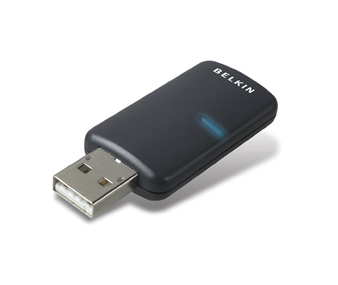
Belkin, a company known internationally, has existed for many years. The first thing to note is that the latest version of the official driver was released on June 17, 2003. You can be sure that this driver is fully compatible with the Windows XP operating system. On our website, you can find and download the official Belkin F8T003 driver for the Bluetooth USB adapter for free. The file size is only 32.2 MB. After downloading, simply double-click the installer file to install it on your computer. If you encounter any difficulties setting up the device, feel free to leave comments — we will be happy to help. All files we provide for download undergo thorough virus checks, so they are completely safe for your computer. If you encounter any errors, take screenshots of them — this will help us assist you faster and more accurately.
Q&A
What is the date of the latest Belkin driver update?
The latest Belkin driver update was released on June 17, 2003.
Which hardware is the Belkin F8T003 driver compatible with?
The Belkin F8T003 driver is intended for use with the Windows XP operating system.
How do I download the driver from the website?
To download the driver, simply go to our website, find the Belkin F8T003 driver, and click the download link. The file size is 32.2 MB.
What should I do if the driver installation failed?
If you were unable to install the driver, please leave a comment describing your problem, and we will provide you with the necessary help.
How safe are the files on the website?
All files offered on our website are manually checked for viruses and are guaranteed to be safe to use.
What advice can you give if errors occur?
We recommend taking screenshots of any errors that occur so that we can provide more accurate troubleshooting advice.
Download:
f8t003_v2_1.4.2.10.exe – (32.2 mb) v.1.4.2.10/1.4.2.8 – 17.06.2007