
Intel PROSet/Wireless Bluetooth Drivers v.23.40.0 Windows 10, Windows 11
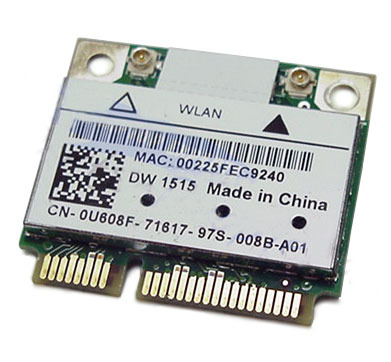
Intel, known worldwide for many years, is pleased to share fresh information. The latest driver update was released on May 17, 2024. You can be sure that this driver is fully compatible with Windows 10 and Windows 11 operating systems. We offer you the official Intel PROSet/Wireless Bluetooth Drivers driver to download from our site completely free of charge. Its size is only 58.4 MB. After you download the file, simply run the installer and follow the instructions to install it on your computer. If you encounter difficulties configuring the hardware after installing our driver, please do not hesitate to contact us in the comments – we will definitely help you. Every file we offer for download undergoes thorough manual virus checking and is guaranteed to be safe for your system. If any errors occur, be sure to take screenshots so that we can provide more accurate assistance.
Q&A
When was the latest version of the Intel driver released?
The official release date of the latest Intel driver update is May 17, 2024.
Which driver can be downloaded for Intel Bluetooth devices?
You can download the Intel PROSet/Wireless Bluetooth driver from our site completely free of charge.
What is the size of the Intel PROSet/Wireless Bluetooth driver?
The size of this driver is only 58.4 MB.
Which operating systems is this driver suitable for?
This driver is compatible with Windows 10 and Windows 11 operating systems.
What should I do if I was unable to install the driver?
If you encounter difficulties configuring the hardware, leave a comment and we will try to help you.
How safe are the files we download?
All files provided for download undergo thorough virus scanning, which guarantees their safety for your computer.
What should I do if an error occurs during installation?
If you encounter errors, take screenshots so that we can help you solve the problem more accurately.
How do I install the driver after downloading it?
After downloading the driver, simply click the installation file and follow the installation instructions on your PC.
Why should you choose Intel drivers?
Intel is known for its quality and reliability, so its drivers ensure stable hardware operation and compatibility with modern operating systems.
Download:
BT-22.200.0-32UWD-Win10.exe – v.23.40.0 Windows 10, 32 bit (49.2 mmb)
BT-23.40.0-64UWD-Win10-Win11.exe – v.23.40.0 Windows 10/11, 64 bit (58.4 mmb)