
Vimicro USB PC Camera (ZC0301PL) Driver v.301.4.328.7, v.301.3.825.09, v.4.2.0116.52 Windows XP, Windows Vista, Windows 7, Windows 8, Windows 8.1, Windows 10
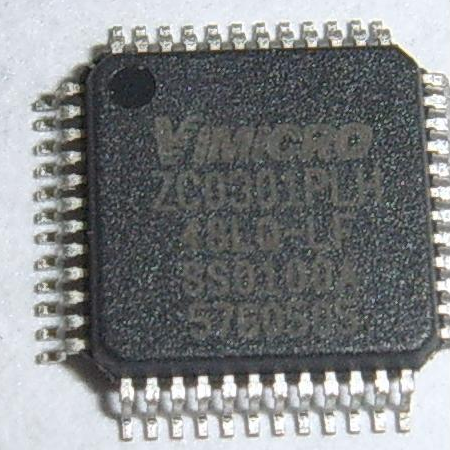
Vimicro, a company known on the international stage for many years, continues to offer quality solutions. The latest driver update was on March 28, 2007. You can be sure that this driver is compatible with operating systems such as Windows XP, Vista, 7, 8, 8.1, and 10. On our website, you can download the official driver for the Vimicro USB camera (model ZC0301PL) for free. It is small in size — only 5.5 MB. After downloading, simply click the installation file to begin installation on your computer.
If, despite using our drivers, you encounter difficulties setting up the device, feel free to leave a comment — we will be happy to help. All files available for download undergo thorough virus checks, and you can be confident in their safety for your device. If you encounter any errors, please take a screenshot and send it to us — this will help us provide more accurate technical support.
Q&A
What should I do if problems arise during driver installation?
If you are unable to set up the hardware using our drivers, please leave a comment, and we will try to help you.
How safe are the files available for download from your site?
All files we offer undergo thorough virus checks and are completely safe for your system.
Why should I take screenshots of errors?
If errors occur, be sure to take screenshots; this will help us offer a solution to your problem faster and more accurately.
So, if you need the right software for your webcam, feel free to check out all the offers on our website.
Download:
DRV_ZC0301Plus_20070404.zip – ZC0301Plus (0.7 mb) v.301.4.328.7 – 28.03.2007 PID301B
DRV_ZC0301PL_070404.zip – ZC0301PL (0.7 mb) v.301.4.328.7 – 28.03.2007
DRV_ZC0301PLH_070329.zip – ZC0301PLH (19.5 mb) v.303.7.0325.04 – 25.03.2007 PID303B
C08-204_CLLCHATCAM_Drivers_WinVista.zip – (5.5 mb) v.301.4.328.7 – 28.03.2007 PID301B
webcam_301.3.825.09.zip – (0.5 mb) v.301.3.825.09 – 25.08.2006 PID301B
pccam_400.exe – (1.6 mb) v.4.2.0116.52 – 16.01.2003 PID301B