
O2Micro BH-201 Card Reader Driver v.1.1.102.1032 Windows 7, Windows 8, Windows 8.1, Windows 10
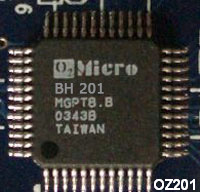
Many people are familiar with the internationally renowned company O2Micro, which has been around for many years. We would like to inform you that the latest driver update was released on July 7, 2020. This driver is fully compatible with Windows 7, Windows 8, Windows 8.1, and Windows 10 operating systems. On our website, you can download the official O2Micro BH-201 card reader driver completely free of charge. The file size is only 10.9 MB. After the download is complete, simply click the installation file and install it on your computer. If you encounter any difficulties with setting up the hardware, please leave a comment — we will be happy to help you. All files available for download on our resource are thoroughly checked for viruses and are completely safe to use. Be sure to take screenshots of any errors if they appear, so that we can provide you with more qualified assistance.
Q&A
Which driver can be downloaded for the O2Micro BH-201 card reader?
You can download the official O2Micro BH-201 Card Reader Driver on our website; it is available for free.
Which operating systems are supported by this driver?
This driver supports Windows 7, Windows 8, Windows 8.1, and Windows 10.
What is the file size of the O2Micro BH-201 driver?
The driver size is only 10.9 MB.
What should I do if I was unable to install the driver?
If you have any difficulties with installation, leave a comment, and we will try to help you solve the problem.
How can I ensure the safety of downloaded files?
All files offered for download are manually checked for viruses and guarantee the safety of your computer.
What should I do if an error occurs during driver installation?
If an error occurs, take a screenshot of it and write to us so that we can give you precise recommendations for fixing it.
Download:
CardReader_O2Micro_Oz201_1.1.102.1032_NT.zip – (10.9 mb) v.1.1.102.1032 – 07.07.2020