
Genesys Logic USB 2.0 and USB 3.0 CR Driver v.4.5.5.6 Windows 7, Windows 8.1, Windows 10
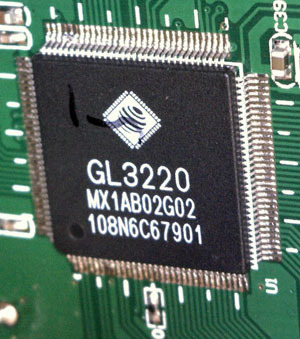
Genesys Logic, a globally recognized company, has a long-standing reputation. It is worth noting that the latest official driver update was released on May 23, 2022. You can be sure that this driver is fully compatible with Windows 7, Windows 8.1, and Windows 10 operating systems. On our website, the official Genesys Logic USB 2.0 and USB 3.0 CR driver is available, which you can download completely free of charge. The file size is only 1.12 MB. After you download it, simply click the installation file to begin the installation process on your computer. If, using our drivers, you were unable to configure the hardware, please let us know in the comments – we will provide you with the necessary assistance. All files we provide for download are thoroughly checked for viruses and are completely safe for your device. Be sure to save screenshots of any errors if they occur so that we can help you more effectively.
Q&A
What is the date of the latest Genesys Logic driver update?
The latest Genesys Logic driver update was released on May 23, 2022.
Which operating systems is the driver compatible with?
The driver is fully suitable for operating systems such as Windows 7, Windows 8.1, and Windows 10.
Where can I download the Genesys Logic driver?
You can download the official Genesys Logic USB 2.0 and USB 3.0 driver from our website completely free of charge.
What is the driver file size?
The driver size is 1.12 MB.
What should I do if the driver installation did not help?
If you have problems configuring the hardware, write to us in the comments, and we will try to help you.
How safe are the downloadable files?
All files are manually checked for viruses and are safe for your computer.
Is help needed in case of an installation error?
Yes, if errors occur, it is advisable to take screenshots for more accurate assistance from our side.
Download:
Genesys_cr_4.5.5.6.zip – v.4.5.5.6 (1.12 mb)