
O2Micro BayHubTech Integrated MMC/SD BH-778 controller Driver v.2.1.101.10690 Windows 10, Windows 11
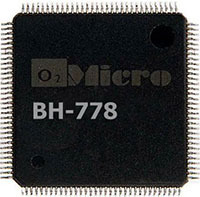
O2Micro, known for many years, continues to remain in the spotlight. Please note that the latest driver release was recorded on January 15, 2024. You can be confident in the compatibility of this driver with Windows 10 and Windows 11 operating systems. On our website, the official O2Micro BayHubTech Integrated MMC/SD BH-778 controller driver is available, which you can download absolutely free. The driver size is only 0.98 MB. After downloading, simply open the installation file and follow the instructions to install it on your computer. If for some reason you are unable to set up the hardware using our drivers, please leave a comment – we are always ready to help. All files offered for download on our resource undergo thorough virus checks and are absolutely safe for you and your device. If errors occur, please take screenshots so that we can provide you with more accurate assistance.
Q&A
What are the latest updates to the O2Micro driver?
The latest O2Micro driver update was released on January 15, 2024.
Which operating systems is the O2Micro driver suitable for?
This driver is compatible with Windows 10 and Windows 11 operating systems.
Where can I download the O2Micro BayHubTech Integrated MMC/SD BH-778 controller driver?
You can download the official O2Micro BayHubTech Integrated MMC/SD BH-778 controller driver for free from our website.
What is the size of the O2Micro driver?
The driver size is only 0.98 MB.
What should I do after downloading the driver?
After downloading the driver, you just need to open the installation file and follow the instructions to install it on your computer.
What should I do if installing the driver does not solve the hardware problems?
If you continue to have problems after installing the driver, please leave a comment, and we will try to help you.
How safe are the drivers offered on the website?
All files available for download on our website undergo thorough virus checks, which guarantees their complete safety for your device.
Why should I take screenshots of errors when problems occur?
If errors appear, taking screenshots will allow you to provide more accurate information, which will help us resolve your problem faster and more effectively.
Download: