
ASUS NX1101 Gigabit Ethernet Adapter Driver v.3.4.8.130 Windows XP, Windows Vista, Windows 7, Windows 8, Windows 8.1, Windows 10
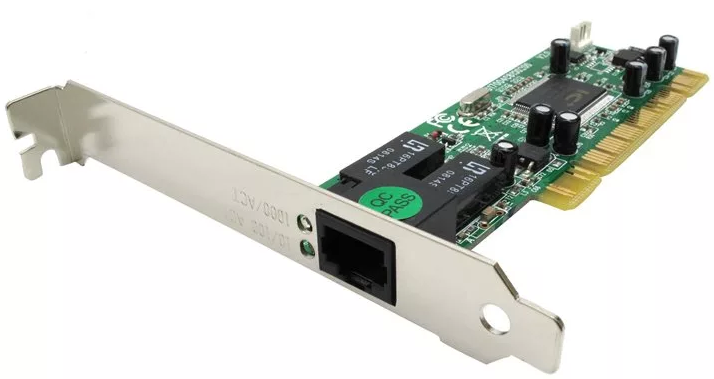
ASUS has been known in the global market for many years. It is worth noting that the latest driver update is dated January 30, 2008. This driver will be compatible with operating systems such as Windows XP, Windows Vista, Windows 7, Windows 8, Windows 8.1, and Windows 10. On our website, you can download the official driver for the ASUS NX1101 Gigabit Ethernet adapter for free. The file size is only 0.05 MB. To install the driver, simply run the downloaded file and follow the on-screen instructions. If you encounter any difficulties with hardware setup, leave a comment, and we will try to help you. All files available for download on our resource undergo thorough virus checks and are completely safe for your computer. If any errors appear, do not forget to take screenshots — this will help us provide the necessary support more effectively.
Q&A
What is known about ASUS and the driver update?
ASUS is a well-known brand that has been on the market for many years. The latest official driver update was released on January 30, 2008. This driver is compatible with a range of operating systems, including Windows XP, Vista, 7, 8, 8.1, and 10. You can download the driver for the ASUS NX1101 Gigabit Ethernet network adapter from our site completely free of charge; its size is only 0.05 MB. After downloading, you need to run the installation file to install the driver on your computer.
How do I download and install the ASUS NX1101 driver?
To get the ASUS NX1101 Gigabit Ethernet Adapter driver, simply go to our website, where you can download the file for free. The driver is small in size — only 0.05 MB. After downloading, just open the installation file and follow the instructions to install the driver on your device.
What should I do if I have problems installing the driver?
If you have difficulties setting up the hardware while using the provided drivers, feel free to leave a comment under the article. We will definitely help you find a solution to your problem. It will also be helpful to take screenshots of the errors so that we can offer more accurate support in resolving your questions.
How safe are the drivers offered on the site?
All drivers that we provide for download undergo thorough manual virus checks, so you can be confident in their safety for your computer and personal data.
Download:
Vista_Win7_3_04_08_0130.zip – manual install, Windows 7/8/10 64 bits (0.05 mb) v.3.4.8.130
DR_NX1101_21950509_XP64.zip – manual install, Windows XP/7/8/10 64 bits (0.02 mb) v.2.19.50509
LAN_Wxp2k_V222611140.zip – Auto install, Windows XP 32 bits (0.5 mb) v.2.22.61114