
Realtek RTL8139/810x Family Fast Ethernet NIC v.6.112.0123.2014 Windows Vista, Windows 7, Windows 8, Windows 8.1
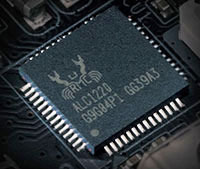
Many people are familiar with Realtek, which has long held leading positions in the market. We would like to draw your attention to the fact that the latest driver version was released on January 23, 2014. This driver is compatible with Windows Vista, Windows 7, Windows 8, and Windows 8.1, so you can be sure of its reliability. On our website, you can download the official driver for Realtek RTL8139/810x Family Fast Ethernet NIC network cards for free. Its size is only 4.9 MB. After the download is complete, simply double-click the installation file and follow the instructions to install it on your computer. If you still encounter difficulties configuring the hardware, feel free to leave comments – we will definitely try to help you. All files we offer for download undergo thorough virus scanning and are completely safe to use. If you encounter errors, don’t forget to take screenshots so that we can provide you with more effective assistance.
Q&A
How long has Realtek existed?
Realtek has been known to people for many years; throughout its existence, it has earned a worldwide reputation.
When was the last Realtek driver update?
The last driver update took place on January 23, 2014.
Which operating systems is the Realtek RTL8139 driver suitable for?
This driver is compatible with Windows Vista, Windows 7, Windows 8, and Windows 8.1.
How do I download the Realtek driver from your site?
You can download the official Realtek RTL8139/810x Family Fast Ethernet NIC driver for free on our website. It is 4.9 MB in size.
What should I do if there are problems configuring the hardware?
If you are unable to configure the hardware even with the drivers installed, write to us in the comments, and we will try to help you.
Can the files available for download be considered safe?
Yes, all offered files undergo thorough manual virus scanning and are completely safe for your computer.
What is the size of the Realtek RTL8139 driver?
The driver is quite modest in size at 4.9 MB.
Why is it important to take screenshots of errors?
Screenshots of errors will help us identify the problem faster and provide support when trying to troubleshoot.
Download: