
Sknet MonsterXX2 Capture Device Drivers v.3.0.16008.0 Windows 7, Windows 8, Windows 10
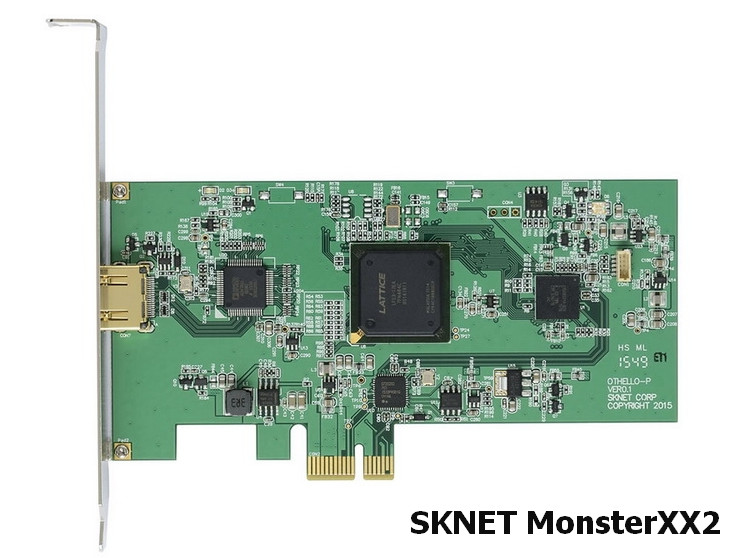
SKNET Corporation has been known on the international stage for many years. We remind you that the latest official driver release is dated January 8, 2015. This driver is fully compatible with Windows 7, Windows 8, and Windows 10 operating systems. On our website, you can download the official driver for the Sknet MonsterXX2 capture device for free. The file size is only 7.6 MB. After the download is complete, you just need to click the installation file and install it on your computer. If you encounter difficulties setting up the hardware even after installing our drivers, write to us in the comments — we will definitely provide support. All files we offer for download undergo thorough virus scanning, so they are completely safe for your PC. If errors occur, don’t forget to take screenshots; this will help us provide you with the necessary assistance faster.
Q&A
What is the date of the last update of the SKNET Corporation driver?
The last update of the SKNET Corporation driver took place on January 8, 2015.
Are drivers supported for Windows 10 operating systems?
Yes, this driver is compatible with Windows 7, Windows 8, and Windows 10.
What is the size of the Sknet MonsterXX2 Capture Device driver?
The driver size is only 7.6 MB.
What should I do if I can’t configure the hardware?
If you have problems with setup, leave a comment, and we will help you sort out this situation.
Are the downloaded files safe?
All our files are manually checked for viruses, so they are completely safe for your computer.
Why is it important to take screenshots of errors?
Screenshots of errors will help us understand the problem faster and more accurately and offer an effective solution.
Download:
MVXX2_Driver.zip – (7.6 mb) v.3.0.16008.0 – 08.02.2015
MVXX2_Driver_170323.zip – (7.7 mb) v.3.0.16008.0 – 08.02.2015 * Only for those who have a signature error in Windows 10 version 1607
MVXX2_App_190709.zip – application (0.5) Ver.1.0.23509.1