
HP PSC 750xi v.6.2.8306.0, v.6.1.7233.0 Windows XP, Windows Vista, Windows 7
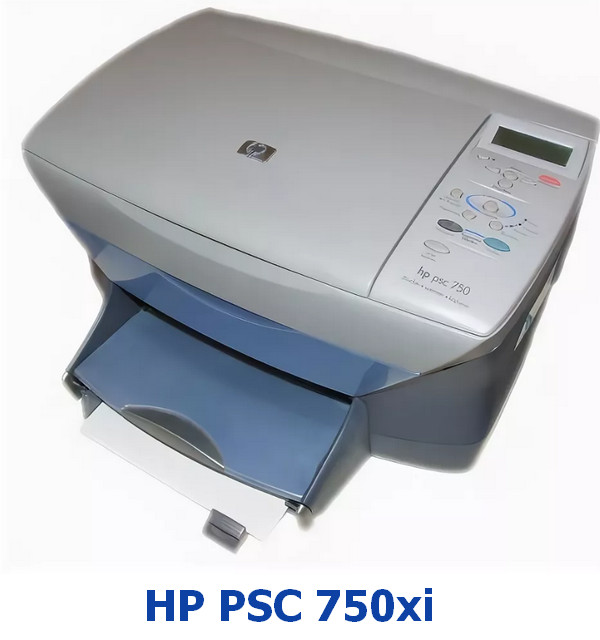
HP, known worldwide, was founded many years ago. It should be noted that the last official driver update took place on June 21, 2006. You can be sure that this driver is compatible with operating systems such as Windows XP, Windows Vista, and Windows 7. The official HP PSC 750xi driver is available for free download on our website. Its size is only 1.3 MB. After you download the file, simply double-click it to begin installation on your computer. If you encounter difficulties setting up the equipment even after installing our driver, write in the comments, and we will try to help you. All files offered for download undergo thorough virus checks and are completely safe. If you encounter any errors, do not forget to take screenshots so that we can provide more accurate assistance.
Q&A
What is the date of the last HP driver update?
The last HP driver update was made on June 21, 2006.
Which operating systems is this driver suitable for?
This driver is compatible with Windows XP, Windows Vista, and Windows 7.
Where can I find and download the HP PSC 750xi driver?
You can download the official HP PSC 750xi driver for free from our website.
What is the size of the HP PSC 750xi driver?
The driver size is only 1.3 MB.
What should I do after downloading the driver?
After downloading the file, simply click the installation file and follow the instructions to install it on your computer.
What should I do if I have problems with installation?
If the driver installation is not completed successfully, leave a comment, and we will try to help you.
How can we be sure of the safety of the downloaded files?
All files presented on our website undergo thorough manual virus checks, so they are completely safe for you and your device.
Are screenshots of errors needed for help?
Yes, if you encounter errors, please take screenshots so that we can provide more accurate help in solving your problem.
Download:
hp_750_6.2.8306.0.zip – (1.3 mb) v.6.2.8306.0 – 21.06.2006
hp_universal_x64_6.1.7233.0.zip – 64 bits (16.1 mb) v.6.1.7233.0 – 21.06.2006
HPPSdr_old.exe – Print and Scan Doctor (6.8 mb) v.4.6 – 10.03.2015
hppiw.exe – Printer Install Wizard (2.2 mb) v.3.1 – 30.09.2013