
Ricoh Aficio SP 100 v.1.0.0.9, v.1.0.0.6 Windows Vista, Windows 7, Windows 8, Windows 8.1, Windows 10
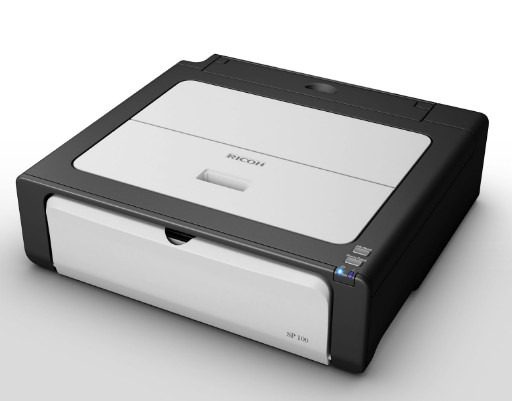
Ricoh has been known worldwide for many years. Please note that the latest official driver update is dated August 3, 2015. You can be sure that this driver is compatible with operating systems such as Windows Vista, 7, 8, 8.1, and 10. On our website, you will find the original driver for Ricoh Aficio SP 100, available for free download. The file size is only 5 MB. After the download is complete, run the installation file and follow the instructions to install it on your computer. If you were unable to set up the device using our drivers, leave a comment, and we will try to help you. All files provided for download are thoroughly checked for viruses and are completely safe for your device. Do not forget to capture screenshots of any errors if they appear, so that we can provide you with more accurate support.
Q&A
What should you know about Ricoh and its drivers?
Ricoh is recognized worldwide and offers drivers that are compatible with various versions of Windows. The latest driver update was in 2015, and it is available for free download on our website.
How do I download and install the Ricoh Aficio SP 100 driver?
You can easily download the Ricoh Aficio SP 100 driver from our website; its size is only 5 MB. Just click the installation file after the download is complete and follow the instructions to install it on your PC.
What should I do if I have problems installing the driver?
If you have difficulties installing the driver, leave a comment, and we will be happy to help you resolve the issue. Please do not forget to take screenshots of the errors for more accurate diagnosis.
How safe are the drivers available for download on our website?
All files offered for download on our website are manually checked for viruses and are guaranteed to be safe for your computer.
Download:
z74221ru.exe – 32 bits (2.5 mb) v.1.0.0.9 – 03.08.2015
z74220ru.exe – 64 bits (2.6 mb) v.1.0.0.9 – 03.08.2015
z66998L11.exe – utility Smart Organizing Monitor (8.2 mb)
Ricoh_sp100_v1.09.zip – (5 mb) v.1.0.0.9 – 03.08.2015
r74218en.exe – Windows XP/7/8/10 64 bits (2 mb) v.1.0.0.6 – 03.08.2015
r74219en.exe – Windows XP/7/8/10 32 bits (2 mb) v.1.0.0.6 – 03.08.2015