
Brother DCP-7057R v.C1, v.D1 Windows XP, Windows Vista, Windows 7, Windows 8, Windows 8.1, Windows 10
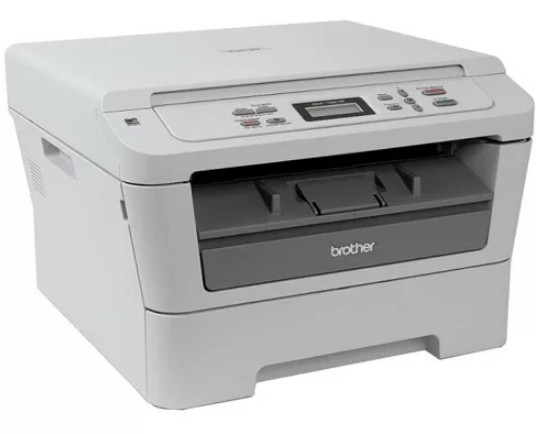
Brother, a company known on the international stage for many years, provides its services and products. It is important to note that the drivers were last updated on January 16, 2013. You can be sure that this driver is compatible with operating systems such as Windows XP, Windows Vista, Windows 7, Windows 8, Windows 8.1, and Windows 10. On our website, you can find the official driver for Brother DCP-7057R, available for free download. Its size is only 120 MB. After you download the file, simply click it to begin installation on your computer. If, despite the installed drivers, you encounter difficulties setting up the device, leave a comment and we will try to help you. All files we provide for download undergo thorough virus checks and are completely safe for your device. If you happen to encounter errors during the process, do not forget to take screenshots so that we can provide more accurate assistance.
Q&A
What is the latest Brother driver update?
The latest official Brother driver update was released on January 16, 2013.
Is the Brother DCP-7057R driver compatible with Windows 10?
Yes, this driver supports operating systems including Windows 10, as well as Windows XP, Vista, 7, 8, and 8.1.
Where can I download the Brother DCP-7057R driver?
You can download the official Brother DCP-7057R driver for free on our website.
What is the size of the Brother DCP-7057R driver?
The Brother DCP-7057R driver is only 120 MB in size.
What should I do if the driver installation fails?
If the device setup fails, leave a comment and we will try to help you solve the problem.
How is the safety of downloaded files ensured?
All files posted on our website are manually checked for viruses, which confirms their safety for your computer.
How do I report errors that occur during installation?
If errors occur, it is recommended to take screenshots and send them in the comments so that we can help you better.
Download:
DCP-7057-inst-C1-EEU.EXE – full package (120 mb) C1 – 16.01.2013
Y10E_C1-gdi-32-D2.EXE – 32 bits, only driver (17.5 mb) D2 – 04.09.2013
Y10E_C1-gdi-64-D2.EXE – 64 bits, only driver (17.4 mb) D2 – 17.01.2013
Y10F_Y11C-xmlpaper-win8-100.EXE – driver XPS, Windows 8/8.1 (0.05 mb)