
Xerox Phaser 3100MFP v.1.2.5, v.1.1.23d, v.11.11 Windows XP, Windows Vista, Windows 7
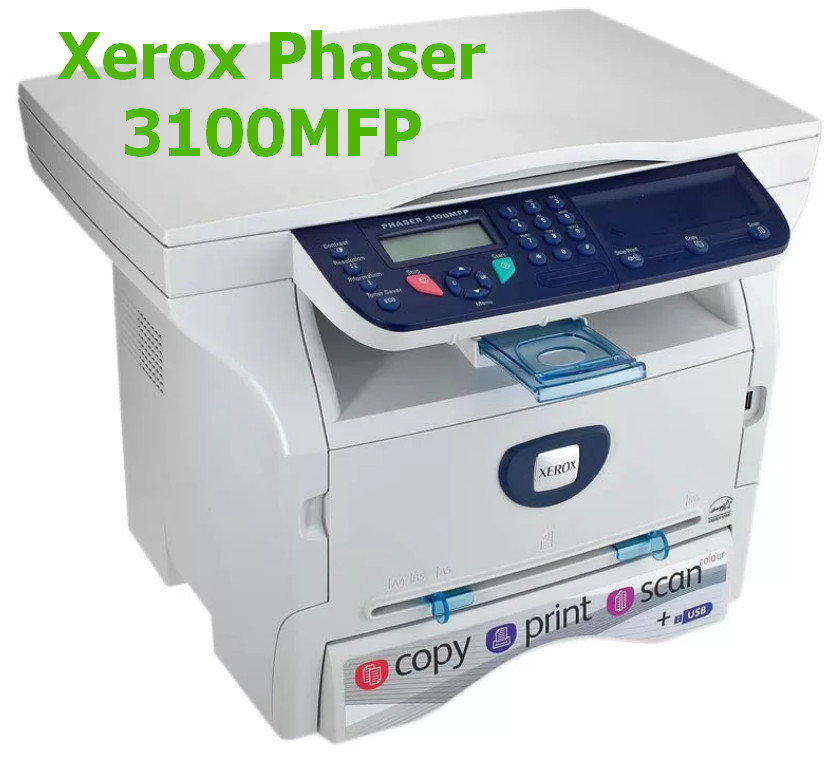
Xerox has been known worldwide for many years. We would like to draw your attention to the fact that the driver was last updated on March 2, 2010. This driver is fully compatible with Windows XP, Windows Vista, and Windows 7 operating systems. On our website, you can download the official driver for the Xerox Phaser 3100MFP printer for free. The file size is only 98.5 MB. After the download is complete, simply click the installation file and follow the instructions to install it on your computer. If you encounter any difficulties setting up the device, please leave a comment, and we will try to help you. All files we provide for download undergo thorough virus checks and are completely safe for your computer. If any errors appear, do not forget to take screenshots so that we can help you faster and more accurately.
Q&A
What driver information from Xerox is available on your website?
On our website, you can find the Xerox Phaser 3100MFP driver, which is suitable for Windows XP, Vista, and 7 operating systems. The last update of this driver was on March 2, 2010. Its size is 98.5 MB, and you can download it completely free and without any hassle.
What should I do if there are problems installing the driver?
If you have difficulties installing or configuring the equipment using this driver, feel free to leave a comment, and we will provide the necessary help. We also recommend taking screenshots of any errors that occur so that our specialists can understand the situation faster and more accurately.
How safe are the drivers offered on your website?
All files available for download on our website undergo strict manual virus checks, which guarantees their safety for your device. We make sure that users can freely and confidently download the drivers they need.
How do I download and install the driver on my computer?
The download process is very simple: after downloading the driver file, you just need to click the installation file and follow the instructions provided. It will not take much time, and you will be able to easily set up the equipment.
When was the Xerox driver last updated?
The Xerox driver was last updated on March 2, 2010. Since then, the driver has been checked and is still relevant for use with operating systems such as Windows XP, Vista, and 7.
Download:
XPS_Driver_v2008081.zip – for printerа, XPS, Windows XP/Vista (6.8 mb) v.200808 – 20.04.2009
3100MFPWIAScanDriver.zip – for scanners, Windows XP/Vista (7.9 mb) v.1.1.23d of 20.04.2009
LFXv2_Xerox_GDI_20080812_WHQL.zip – GDI Driver, Microsoft Certified, Windows XP/Vista (5 mb) v.11.11 – 08.08.2008
XeroxCompanionSuite_V1_2_5UL.exe – Windows 7 (98.5 mb) v.1.2.5 – 02.03.2010