
Canon i-SENSYS MF4018 v.1.11 Windows XP, Windows Vista, Windows 7, Windows 8, Windows 8.1, Windows 10
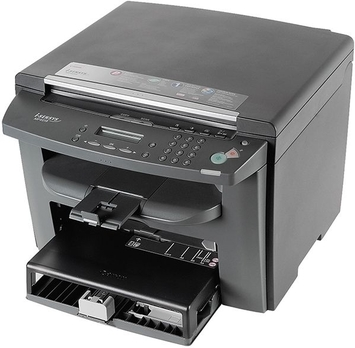
Canon, a company known worldwide for many years, remains in the spotlight. We would like to draw your attention to the fact that the driver was last updated on March 17, 2017. You can be sure that this driver is compatible with various versions of the operating system, such as Windows XP, Windows Vista, Windows 7, Windows 8, Windows 8.1, and Windows 10. On our website, you will be able to find the official driver for the Canon i-SENSYS MF4018 printer, which can be downloaded completely free of charge. Its size is only 18.8 MB. After downloading, simply click the installation file to begin installation on your computer. If, despite using our drivers, you encounter difficulties setting up the device, please leave a comment, and we will be happy to assist you. All files that we provide for download undergo thorough virus scanning, which guarantees their safety for your device. Do not forget to take screenshots of any errors that occur, if any appear, so that we can help you more effectively.
Q&A
What is known about Canon and its drivers?
Canon is an internationally recognized company that has existed for many years. The latest driver update is dated March 17, 2017. This driver is compatible with various versions of Windows, including XP, Vista, 7, 8, 8.1, and 10.
Where can I find the driver for Canon i-SENSYS MF4018?
On our website, you can download the official Canon i-SENSYS MF4018 driver for free. Its size is only 18.8 MB. After downloading the file, you just need to open the installation file and follow the instructions to install it on your computer.
What should I do if I can’t set up the device using the driver?
If you have difficulties setting up the equipment despite using our drivers, feel free to leave a comment. We will definitely help you resolve the issue.
How safe are the files downloaded from the site?
All files that we offer for download undergo thorough manual virus scanning. You can be sure that they are completely safe for your computer.
What should I do if errors occur during installation?
Do not forget to take screenshots of any errors that may appear during installation. This will allow us to understand the situation more accurately and provide you with more effective assistance.
Download:
Canon_Lite_Plus_PCL6_Printer_Driver_v1.11_Win_EFIGS.zip – Lite Plus PCL6, All Windows 32-64 bits (English, 18.8 mb) v1.11 14.03.2017
MF4010_MFDrivers_W32_RU.exe – Drivers MF (UFR II / ScanGear), All Windows 32 bits (Russian, 10.3 mb) V2.05 14.06.2016
MF4010_MFDrivers_W64_RU.exe – Drivers MF (UFR II / ScanGear), All Windows 64 bits (Russian, 11.2 mb) V2.05 14.06.2016
MF4010_MFDrivers_Win_x32_RU_7.exe – MF Drivers, All Windows 32 bits (Russian, 10 mb) 2.05 03.11.2015
MF4010_MFDrivers_Win_x64_RU_7.exe – MF Drivers, All Windows 64 bits (Russian, 10.9 mb) V2.05 03.11.2015