Driver Date: & version: 2023-05-01v.4.0.8 D1 build 4
Model: Silicon Power SSD ToolBox Driver
Operating system: Windows 8.1, Windows 10, Windows 11
Vendor: silicon power
Bits: 32-bit (x86), 64-bit (x64)
Size: 32.7 mb
Attention! Before installing the driver, it is recommended to remove its previous version. Driver removal is especially important when replacing hardware or before installing new versions of graphics card drivers.

Silicon Power SSD ToolBox Driver v.4.0.8 D1 build 4 Windows 8.1, Windows 10, Windows 11
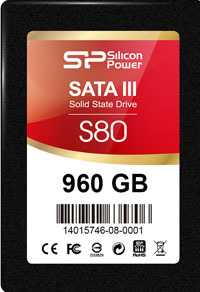
Silicon Power SSD ToolBox Driver  v.4.0.8 D1 build 4 download for Windows
Silicon Power is known worldwide and has a long history. Please note that the latest driver version was updated on May 1, 2023. You can be sure that this driver is compatible with Windows 8.1, Windows 10, and Windows 11 operating systems. The official Silicon Power SSD ToolBox driver is available for free download on our website, and its size is only 32.7 MB. After you download the file, simply double-click it to begin installation on your computer. If you have any difficulties setting up the hardware even after installing the drivers from our resource, feel free to leave comments — we will be happy to help. All files we provide undergo thorough virus checks, so they are completely safe for your computer. If any errors occur, please take screenshots for more accurate analysis and help with your issue.

Q&A

What is the date of the latest Silicon Power driver update?
The latest Silicon Power driver update took place on May 1, 2023.
Which operating systems is the Silicon Power SSD ToolBox driver compatible with?
This driver supports Windows 8.1, Windows 10, and Windows 11.
Where can I download the Silicon Power SSD ToolBox driver?
You can download the Silicon Power SSD ToolBox driver for free from our website.
What is the size of the Silicon Power SSD ToolBox driver?
The driver size is only 32.7 MB.
What should I do if I can’t configure the device using the driver?
In this case, you can leave a comment, and we will help you solve the problem.
How is the safety of downloadable files checked?
All files undergo manual virus checks and are guaranteed to be safe for your computer.
What should I do if an error occurs during installation?
It is recommended to take a screenshot of the error and let us know so that we can provide more accurate assistance.

Download:


All drivers for your PC
0 0 votes
Article rating
Subscribe
Notify of
guest

0 comments
Oldest
Newest Most Voted
Inline Feedbacks
View all comments
0
Would love your thoughts, please comment.x
()
x