
Zebronics USB External TV Tuner ZEB-TU1000 v.2.73.0000.33, v.2.1.1.2 Windows XP, Windows Vista, Windows 7
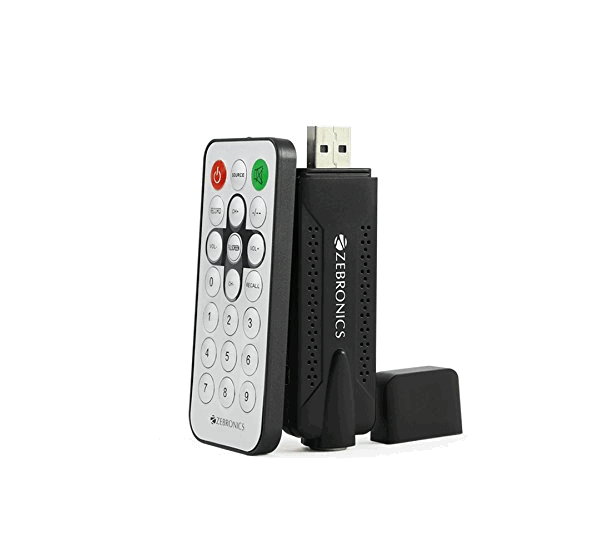
Zebronics has been known worldwide for many years. We are pleased to announce that the latest official driver was updated on January 18, 2011. You can be sure that this driver is perfectly suited for operating systems such as Windows XP, Windows Vista, and Windows 7. On our website, you can find and download the official driver for the Zebronics USB External TV Tuner ZEB-TU1000 completely free of charge. The driver size is only 27.7 MB. After downloading, simply double-click the installation file to begin installing it on your computer. If you are unable to set up the hardware using our drivers, please leave a comment – we will be happy to help you. All files we offer for download undergo thorough virus checks and are reliably protected. Don’t forget to take screenshots if you encounter errors – this will allow us to provide you with more accurate support.
Q&A
When was the Zebronics driver last updated?
The Zebronics driver was last updated on January 18, 2011.
Which operating systems is the Zebronics driver compatible with?
This driver is suitable for Windows XP, Windows Vista, and Windows 7.
How can I download the Zebronics ZEB-TU1000 driver?
You can download the official Zebronics ZEB-TU1000 driver for free from our website.
What is the size of the Zebronics driver file?
The driver size is only 27.7 MB, which makes it easy to download.
What should I do if I have problems installing the driver?
If you encounter installation problems, leave a comment and we will try to help you.
How do you check the safety of downloaded files?
All files undergo manual virus checks, which guarantees their safety for users.
What should I do if errors appear during installation?
In that case, take screenshots of the errors so that we can offer a more accurate solution to your problem.
Download:
ZEB-TU1000.zip – (27.7 mb) v.2.73.0000.33 – 18.01.2011
usb_tvtuner_newdriver.zip – (15.2 mb) v.2.84.0000.33 – 22.11.2006