
Realtek USB 2.0 & 3.0 CR RTS51XX Drivers v.10.0.22621.31277 Windows 8.1, Windows 10, Windows 11
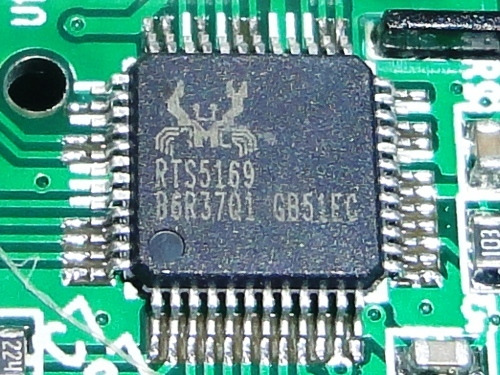
Realtek, a company known worldwide for many years, introduced its latest driver update on November 10, 2022. This driver is perfectly compatible with operating systems such as Windows 8.1, Windows 10, and Windows 11. On our website, you can download it for free; we are talking about the Realtek USB 2.0 & 3.0 CR RTS51XX drivers, whose total size is only 12.2 MB. After you download the file, simply run it on your computer to install it. If you encounter problems setting up the hardware despite using our drivers, please leave a comment — we will be happy to help. Please note that all files we upload undergo thorough manual virus checks and are absolutely safe for your device. If errors occur, try to take screenshots of them; this will help us understand your situation faster.
Q&A
What reputation does Realtek have and when was the latest driver update released?
Realtek, known worldwide for many years, has earned users’ trust. The latest driver update was released on November 10, 2022.
Which operating systems does the latest Realtek driver support?
This driver is compatible with several versions of operating systems, including Windows 8.1, Windows 10, and Windows 11. You can be confident it will work correctly on these platforms.
Where can I download the Realtek USB 2.0 & 3.0 CR RTS51XX driver?
You can download the official Realtek USB 2.0 & 3.0 CR RTS51XX driver for free from our website. The file size is only 12.2 MB.
How do I install the downloaded driver?
After the download is complete, simply click the installation file and follow the on-screen instructions to install the driver on your computer.
What should I do if I have problems setting up the hardware?
If you were unable to set up the hardware using our drivers, feel free to leave a comment. We will try to help you solve the problem.
How do we ensure the safety of the drivers we provide?
All files available for download on our website undergo thorough manual virus checks. We guarantee they are completely safe for your computer.
Are screenshots of errors needed when asking for help?
Yes, it would be helpful to take screenshots of any errors, if any occur. This will help us understand the problem more accurately and provide you with effective assistance.
Download:
Realtek_USB_CR_10.0.22621.31277.zip – Windows 10/11 v.10.0.22621.31277 (2.23 mb)
Realtek USB Crad Reader 10.0.18362.31260 (10th April 2020).zip – Windows 7/8/10 v.10.0.22621.31277 (12.2 mb)