
Senselock USB Token Elite Series Device Driver v.3.1.0.0, v.2.52.1.0, v.2.52.1.0 Windows XP, Windows Vista, Windows 7, Windows 8
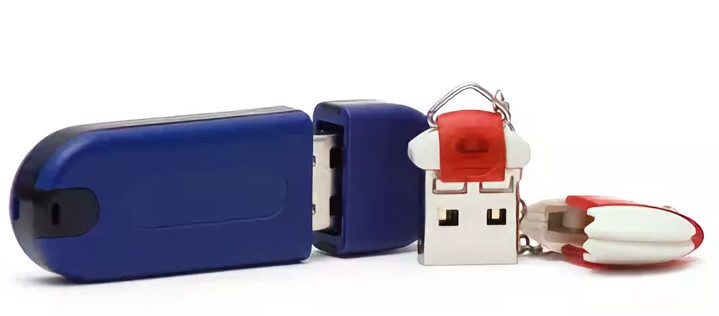
Senselock, a company known on the international stage for many years, is a reliable and proven brand. We inform you that the latest official driver update was released on March 4, 2014. You can be sure that this driver is compatible with operating systems such as Windows XP, Windows Vista, Windows 7, and Windows 8. On our website you will find the official driver for the Senselock USB Token Elite Series device, available for free download. The file size is only 1.2 MB. After downloading, simply run the installer and install it on your computer. If you are still having difficulties configuring the hardware even after installing the driver, feel free to leave a comment — we are ready to help you. All files provided for download undergo thorough manual virus checks and are absolutely safe to use. If you encounter errors, take screenshots so that we can provide more detailed and better assistance.
Q&A
What is the date of the latest Senselock driver update?
The latest official Senselock driver update was made on March 4, 2014.
On which operating systems can the Senselock driver be used?
This driver is compatible with operating systems such as Windows XP, Windows Vista, Windows 7, and Windows 8.
Where can I download the Senselock USB Token Elite Series driver?
You can download the official Senselock USB Token Elite Series driver for free from our website. It takes up only 1.2 MB.
How do I install the driver on my computer?
After you download the driver, simply install it by running the installer on your PC.
What should I do if I was unable to configure the hardware using the drivers?
If you have difficulties configuring the hardware after using our drivers, contact us through the comments, and we will try to help you solve the problem.
What is the security level of the files offered for download?
All files available for download on our website undergo thorough manual virus checks and are considered absolutely safe for all users and their computers.
What should I do if errors occur?
If you encounter any error, take a screenshot of the problem and send it to us along with your request so that we can provide you with more accurate assistance.
Download:
senselock_windows_3.1.0.0.zip – (1.2 mb) v.3.01.00.00 – 04.03.2014
senselock_windows_2.52.1.0.zip – (0.95 mb) v.2.52.01.00 – 24.02.2011
senselock_windows_2.51.1.1.zip – (0.93 mb) v.2.51.01.01 – 03.02.2009