
D-Link DWA-120 USB Wireless Adapter Driver v.1.20 Windows XP, Windows Vista
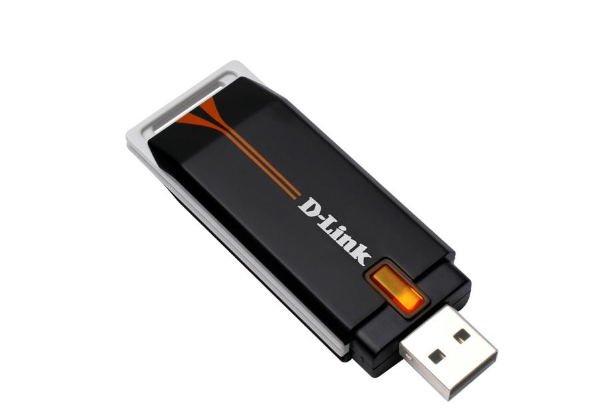
Many people are familiar with the world-famous company D-Link, which has held leading positions for many years. We inform you that the latest driver update dates back to June 12, 2008. You can be sure that this driver is fully compatible with Windows XP and Windows Vista operating systems. Our website hosts the official driver for the D-Link DWA-120 USB adapter, which you can download completely free of charge. Its size is only 13.3 MB. After downloading, simply click the installation file and follow the instructions to install it on your computer. If you encounter difficulties setting up the equipment, feel free to leave comments — we will definitely help you. All files we upload undergo thorough virus checks and are completely safe for your device. Also, if any errors appear, be sure to take screenshots — this will allow us to provide the necessary help more effectively.
Q&A
What was the last update date for the D-Link DWA-120 driver?
The last official driver update date is June 12, 2008.
Which operating systems is the D-Link DWA-120 driver suitable for?
This driver is compatible with Windows XP and Windows Vista operating systems.
Where can I download the D-Link DWA-120 driver?
You can download the D-Link DWA-120 USB Wireless Adapter driver for free directly from our website.
What is the size of the D-Link DWA-120 driver?
The driver size is only 13.3 MB.
What should I do after downloading the D-Link DWA-120 driver?
After the download is complete, you need to run the installation file and follow the instructions to install it on your computer.
What should I do if the equipment setup is unsuccessful?
If you encounter problems during setup, you can leave a comment, and we will provide the necessary help.
How can I check the safety of files before downloading?
All files available for download on our website undergo thorough manual virus checks, which guarantees their safety for your computer.
What should I do if errors occur during driver installation?
It is recommended to take screenshots of the errors that occur. This will help us provide you with the needed assistance faster and more effectively.
Download: