
D-Link DWA-182 Cx USB Wireless Adapter Driver v.3.06, v.3.05 Windows XP, Windows Vista, Windows 7, Windows 8, Windows 8.1, Windows 10
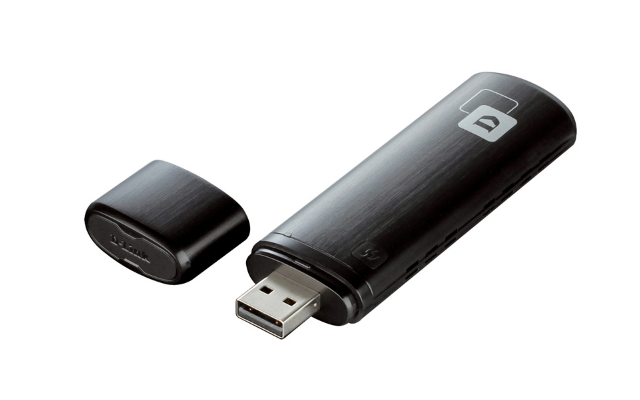
D-Link, a company known worldwide, has been delighting users with its products for a long time. It should be noted that the latest version of the driver was officially updated on October 21, 2016. You can be sure that this driver will work correctly on operating systems such as Windows XP, Windows Vista, Windows 7, Windows 8, Windows 8.1, and Windows 10. On our website, you can find the official driver for the D-Link DWA-182 USB adapter, which is available for free download. The size of this driver is only 33.7 MB. After you download the file, simply run it to install it on your computer. If for any reason you are unable to configure the device using our drivers, feel free to leave a comment — we will gladly try to help. All files on our website undergo thorough virus checks and are completely safe to download and install. Don’t forget to take screenshots if errors occur so that we can provide you with more accurate assistance.
Q&A
What should you know about D-Link and its drivers?
D-Link is a world-famous company that has been manufacturing networking equipment for many years. The latest official driver update took place on October 21, 2016. The driver supports many operating systems, including Windows XP, Vista, 7, 8, 8.1, and 10. You can download the D-Link DWA-182 Cx USB Wireless Adapter driver for free from our website. The file size is only 33.7 MB. To install it, simply follow the instructions and run the downloaded file. If you encounter difficulties configuring the hardware even after installing the driver, feel free to leave a comment — we are ready to help. All files we share undergo strict virus checks and are completely safe to use. If any errors occur, please take screenshots so that we can provide more accurate assistance.
Why should you install the D-Link DWA-182 driver?
Installing the D-Link DWA-182 driver is necessary for the USB adapter to function correctly. This driver ensures compatibility with popular operating systems and helps your computer effectively use the device’s capabilities, including connecting to wireless networks.
How can you download the driver from your website?
To download the driver, simply visit our website, find the required D-Link DWA-182 Cx USB Wireless Adapter Driver file, and click the download link. The driver will be available for free download.
What should you do if errors occur during driver installation?
If you encounter problems during installation, leave a comment under the relevant section on our website. We will try to help you, as it is important that your hardware works properly. Also, don’t forget to take screenshots of the errors for more accurate diagnosis.
How safe are the drivers offered on your website?
All drivers we offer are manually checked for viruses. This guarantees that they are safe to download and install on your computer.
Download:
DWA-182C1_v306b04.zip – (49.6 mb) v.3.06 – 21.10.2016
D-Link-DWA-182C1_v305b01.exe – (33.8 mb) v.3.05 – 02.11.2015