
D-Link DWA-645 A1 A2 CardBus Wireless Adapter Driver v.1.60b05 Windows XP, Windows Vista, Windows 7
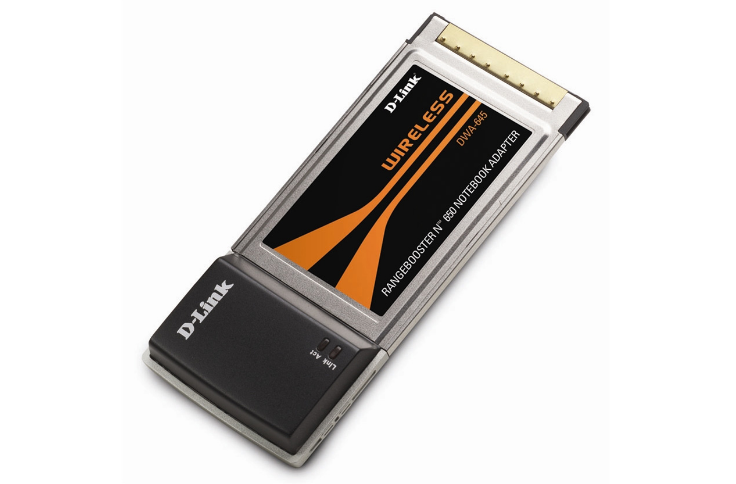
Many users are familiar with D-Link, a well-known player in the technology market for many years. It should be noted that the latest official updated driver is dated October 5, 2009. You can be sure that this driver will be compatible with Windows XP, Windows Vista, and Windows 7 operating systems. On our website, you can find the official driver for the D-Link DWA-645 A1 A2 CardBus wireless adapter, available for free download. The file size is only 19.6 MB. After downloading, simply open it and follow the instructions to install it on your computer. If, despite using our drivers, you encounter difficulties configuring the device, please leave comments, and we will try to help you. All files you can download from us are thoroughly checked for viruses and are completely safe for your hardware. If you encounter any errors, be sure to take screenshots so that we can advise you more effectively.
Q&A
What is D-Link and when was its driver last updated?
D-Link is a well-known global brand operating in the field of networking solutions. The last official driver update took place on October 5, 2009.
On which operating systems can the D-Link DWA-645 driver be used?
This driver is compatible with several versions of operating systems, including Windows XP, Windows Vista, and Windows 7.
Where can I download the D-Link DWA-645 A1 A2 CardBus Wireless Adapter driver?
You can download the official D-Link DWA-645 A1 A2 CardBus Wireless Adapter driver for free from our website.
What is the size of this driver and how do I install it?
The driver size is 19.6 MB. After downloading it, simply double-click the installer file to start the installation process on your computer.
What should I do if I cannot configure the hardware using the driver?
If you encounter problems while setting up your device, leave a comment and we will try to help you figure it out.
What guarantees are there for the safety of downloaded files?
All files available for download on our website are thoroughly checked for viruses, ensuring they are completely safe for your computer.
How can I get help with any errors that occur?
If you encounter errors, try to take screenshots of these issues. This will help us better understand your situation and give more accurate recommendations for fixing them.
Download: