
Zyxel G-202 EE 802.11g Wireless USB Adapter Driver v.5.20, v.2.2.0.27, v.1.7.3.38 Windows XP, Windows Vista, Windows 7
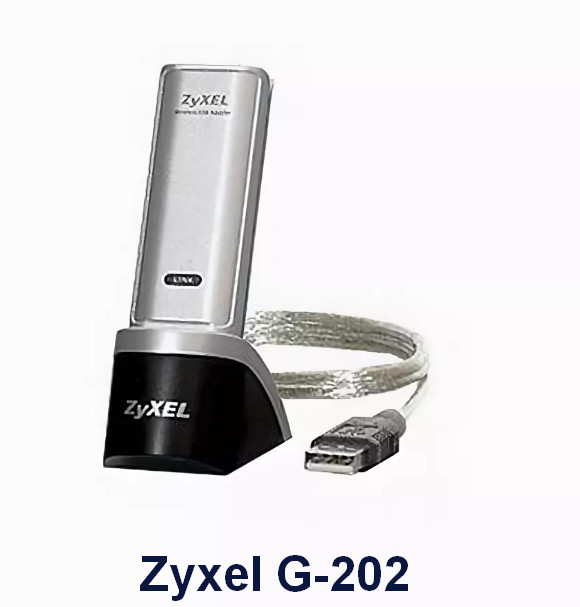
Zyxel, known on the international stage, has existed for many years. Please note that the latest version of the driver was released on April 14, 2010. You can be sure of this driver’s compatibility with operating systems such as Windows XP, Windows Vista, and Windows 7. On our website, the official driver for the Zyxel G-202 EE 802.11g Wireless USB adapter is available, which you can download completely free of charge. The file size is only 1.3 MB. To install the driver, simply go to the downloaded file and follow the on-screen instructions. If you encounter difficulties setting up the hardware even after installing our drivers, please leave a comment, and we will provide you with the necessary assistance. All files offered for download undergo thorough virus checks, so they are completely safe for your device. If you encounter errors, don’t forget to take screenshots so that we can resolve your issue more effectively.
Q&A
What is known about Zyxel and its drivers?
Zyxel is a well-known brand in the field of networking technologies for many years. The latest update of its driver was released on April 14, 2010. This driver is compatible with Windows XP, Windows Vista, and Windows 7 operating systems. On our website, you can download the official driver for the Zyxel G-202 EE 802.11g Wireless USB Adapter for free, which weighs only 1.3 MB. After downloading, simply open the file and follow the instructions to install it on your computer. If, despite installing our drivers, you have difficulties setting up the hardware, feel free to leave a comment, and we will try to help you. All files offered for download undergo thorough virus checks, which guarantees their safety for your computer. If you encounter errors, don’t forget to take screenshots for more effective assistance.
How do I download and install the Zyxel G-202 EE 802.11g driver?
To download the Zyxel G-202 EE 802.11g driver, go to our website, where you can find it. The driver is small in size — only 1.3 MB. Simply click the installation file after the download is complete and follow the provided instructions to install it on your computer. The driver supports Windows XP, Vista, and 7 operating systems, making it universal for most users. If problems arise after installation, we are always ready to help you through comments and advice. Don’t forget to take screenshots of any errors if they appear.
How safe are the downloaded drivers?
We guarantee that all drivers you can download from us are absolutely safe. Each file undergoes manual virus checking before we make it available for download. This ensures the protection of your device and the reliability of the software installation. You can confidently trust our resources, as we strive to provide only high-quality and safe solutions for users.
What should I do if errors occur during installation?
If you have problems installing the driver, don’t worry. You can leave a message in the comments, and our team will try to suggest solutions. To help us assist you more effectively, please attach screenshots of any errors you encountered. This will help us understand the nature of the problem faster and suggest specific steps to resolve it.
Download:
G-202_5.20.zip -(1.3 mb) v.5.20 – 14.04.2010