
Mercusys MU6H v.1030.29.0329.2019 Windows XP, Windows Vista, Windows 7, Windows 8, Windows 8.1, Windows 10
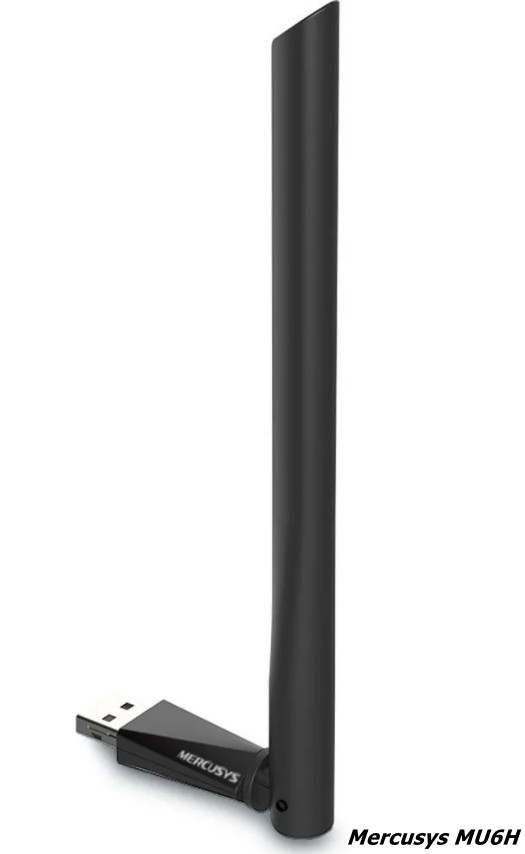
Mercusys, known worldwide, has existed for many years. Please note that the latest driver update is dated April 12, 2019. This driver is fully compatible with various versions of operating systems such as Windows XP, Vista, 7, 8, 8.1, and 10. On our website, you can download the official Mercusys MU6H driver for free. It is small in size – only 6.9 MB. After downloading, simply open the installation file and follow the on-screen instructions to install it on your computer. If, despite using our drivers, you encounter difficulties setting up the device, feel free to leave a comment – we will definitely help. All files we provide for download undergo thorough virus scanning, which guarantees their safety for your computer. If errors appear during operation, do not forget to take a screenshot so that we can help you faster and more accurately.
Q&A
How many years has Mercusys been in business and when was the latest driver update released?
Mercusys has been known internationally for many years. The latest driver update was released on April 12, 2019.
Which operating systems is the Mercusys MU6H driver compatible with?
This driver is compatible with various operating systems, including Windows XP, Vista, 7, 8, 8.1, and 10.
Where can I download the official driver and how much does it weigh?
You can download the official Mercusys MU6H driver completely free from our website. The file size is only 6.9 MB.
How do I install the downloaded driver on my computer?
After you download the driver, you just need to click the installation file and follow the instructions to complete the installation on your PC.
What should I do if there are problems setting up the device?
If you have difficulties setting up the hardware using our drivers, please leave a comment, and we will try to help you.
What precautions are taken to ensure file safety?
All files posted for download on our website undergo thorough virus scanning, which guarantees their safety for your computer and personal data.
What should I do if an error appears during installation?
If you encounter errors, take screenshots of the messages that appear, as this will help us provide you with more accurate and prompt assistance.
Download:
MU6H(EU)_V1_19041220190802094921.zip – (6.9 mb) v.1030.29.0329.2019 – 12.04.2019