
LB-Link BL-WN1140AH USB Wireless Driver v.5.01.16.0000 Windows 7, Windows 8
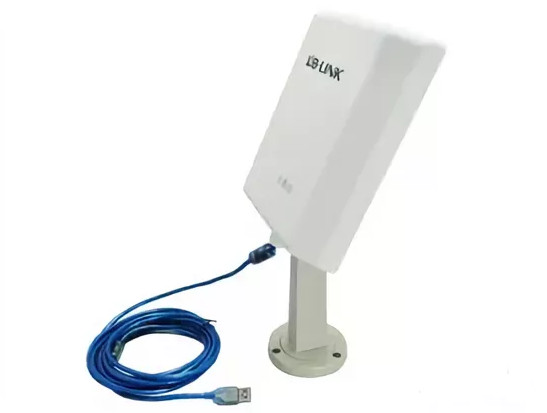
LB-Link, known worldwide for its achievements, has held a strong position in the industry for many years. It is important to note that the latest official driver release is dated June 6, 2014. You can be sure of this driver’s compatibility with Windows 7 and Windows 8 operating systems. The official LB-Link BL-WN1140AH USB Wireless Driver is available for download on our website — it is completely free. The file size is only 16.6 MB. After downloading, simply run the installation file and follow the instructions to install it on your computer.
If you encounter difficulties configuring your hardware even after installing the drivers, please leave your suggestions in the comments — we are ready to help. All files we offer for download undergo thorough virus scanning and are completely safe for your devices. In addition, if you encounter any error, be sure to take a screenshot — this will help us understand your problem faster and more accurately.
Q&A
Which operating systems does the LB-Link BL-WN1140AH driver support?
The LB-Link BL-WN1140AH driver is compatible with Windows 7 and Windows 8 operating systems.
Where can I download the LB-Link BL-WN1140AH driver?
You can download the LB-Link BL-WN1140AH driver for free from our website.
What is the file size of the LB-Link driver?
The driver size is only 16.6 MB.
What should I do if the driver installation was not successful?
If you have difficulties configuring your hardware, please leave a comment, and we will be happy to help you.
How can I ensure the driver is safe before installation?
All files we offer for download undergo thorough virus scanning, so they are completely safe for your computer.
What should I do if an error appears during driver installation?
It is recommended to take screenshots of any errors if they occur so that we can provide more accurate help in solving the problem.
When was the LB-Link driver last updated?
The last official driver update is dated June 6, 2014.
How do I install the LB-Link driver on my computer?
After you download the driver, simply double-click the installation file and follow the on-screen instructions to complete the installation.
Download:
BL_3x7x_5x7x_76xx_WIN8_Driver.zip – (16.6 mb) v.5.01.16.0000 – 06.06.2014