
Belkin Wireless 802.11b/g/n USB 2.0 Network Adapter Driver v.1026.11.0513.2014 Windows XP, Windows Vista, Windows 7, Windows 8, Windows 8.1
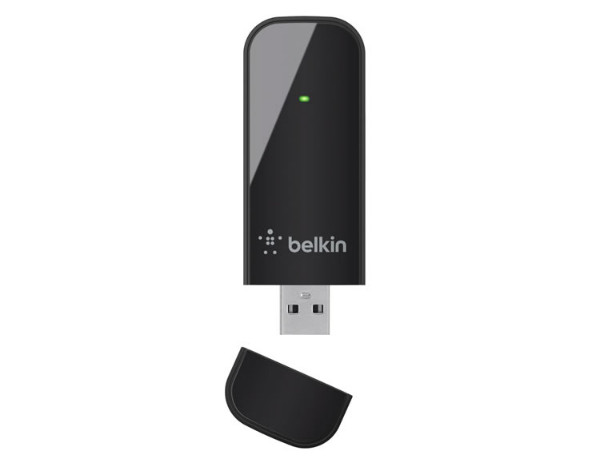
Belkin, a company known on the global market for many years, enjoys great respect and trust. Please note that the last driver update date was recorded on June 6, 2014. You can rest assured: this driver is perfectly suited for Windows XP, Vista, 7, 8, and 8.1 operating systems. Our resource provides the official driver for Belkin Wireless 802.11b/g/n USB 2.0 Network Adapter, which you can download for free. The file size is only 30 MB.
After you download the file, simply open it and follow the instructions to install it on your computer. If you encounter difficulties setting up the hardware, feel free to leave comments — we will be happy to help you. All files hosted on our site undergo thorough virus checks, which guarantees their safety for your device. If errors occur, take screenshots so that we can provide you with more accurate assistance.
Q&A
On what date was the last Belkin driver update?
The last Belkin driver update was on June 6, 2014.
For which operating systems is the Belkin Wireless 802.11b/g/n driver suitable?
This driver is suitable for Windows XP, Windows Vista, Windows 7, Windows 8, and Windows 8.1.
Where can I download the Belkin driver?
You can download the Belkin Wireless 802.11b/g/n USB 2.0 Network Adapter driver completely free from our site.
What should I do if there are problems installing the driver?
If you have difficulties setting up the hardware, leave a comment, and we will try to help you solve the problem.
What kind of check do the drivers on your site undergo?
All files undergo manual virus checks, which makes them safe to download and use.
What should I do if an error occurs during driver installation?
If errors occur, it is recommended to take screenshots of the problem so that we can provide you with more accurate assistance.
Download:
F9L1101v2_.exe – (30 mb) v.1026.11.0513.2014 – 06.06.2014