
Linksys AE2500 Broadcom BCM43236 USB WiFi Adapter Driver v.6.32.145.11, v.5.100.243.6, v.5.100.68.46 Windows XP, Windows Vista, Windows 7, Windows 8
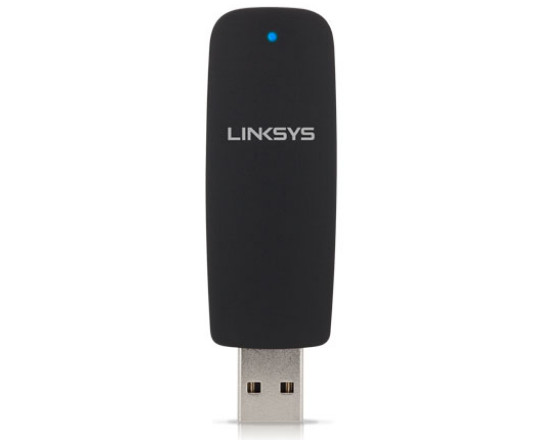
The Broadcom/Linksys company, widely known around the world, has been on the market for many years. It is important to note that the latest official driver update is dated January 6, 2015. You can be sure that this driver is compatible with operating systems such as Windows XP, Windows Vista, Windows 7, and Windows 8. On our website, you can download the official Linksys AE2500 driver for the Broadcom BCM43236 USB WiFi adapter for free. The file size is only 10 MB. After downloading, simply click the installation file and follow the instructions to install it on your computer. If you encounter difficulties configuring the hardware even after installing our drivers, feel free to contact us in the comments — we will provide you with the necessary help. All files we provide undergo thorough virus scanning and are absolutely safe to use. If you encounter any errors, be sure to take screenshots so that we can offer more precise assistance.
Q&A
When was the Linksys AE2500 driver last updated?
The driver was last updated on January 6, 2015.
Which operating systems is the Linksys AE2500 driver suitable for?
The driver is compatible with Windows XP, Windows Vista, Windows 7, and Windows 8.
What is the size of the Linksys AE2500 driver?
The file size is 10 MB.
What should I do if I can’t configure the hardware using the driver?
If you have any difficulties, write to us in the comments, and we will help you.
How is the safety of the downloaded files ensured?
All files are manually checked for viruses and are completely safe for your computer.
What should I do if errors occur during driver installation?
It is recommended to take screenshots of the errors and send them to us so that we can provide more precise assistance.
Download:
AE2500_win8driver_6.32.145.11.zip – Windows 8 (9.6 mb) v.6.32.145.11 – 06.01.2015
AE2500_win7driver_6.32.145.11.zip – Windows 7 (9.7 mb) v.6.32.145.11 – 31.12.2014
AE2500_vistadriver_5.100.243.6_WHQL,0.zip – Windows XP/Vista (10.1 mb) v.5.100.243.6 – 30.03.2011
AE2500Win7_WHQL.zip – Windows XP/Vista/7 (10 mb) v.5.100.68.46 – 28.03.2011
AE2500xp_WHQL.zip – Windows XP (2.9 mb) v.5.100.68.46 – 28.03.2009