
Realtek RTL8852BE/8852AE/8852CE, Wireless LAN Driver v.6001.16.112.0 Windows 10, Windows 11
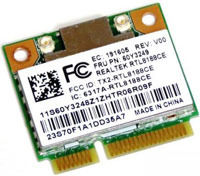
Many people are familiar with the name of Realtek, a company that has established itself on the global market over many years. We would like to inform you that the latest official driver update was released on May 25, 2022. You can be sure that this driver is fully compatible with Windows 10 and Windows 11 operating systems. On our website, the official driver for Realtek RTL8852BE, RTL8852AE, and RTL8852CE models is available, as well as the Wireless LAN Driver, which you can download completely free of charge. The driver size is only 10.5 MB. After the download is complete, simply click the installation file and install it on your computer. If you encounter difficulties configuring the hardware even after installing the drivers, feel free to leave comments—we will be happy to help you. All files we offer are thoroughly checked for viruses before being added to the site and are guaranteed to be safe for your device. Also, if any errors occur, please take screenshots so that we can provide you with more qualified assistance.
Q&A
What is known about Realtek and its drivers?
Realtek is a world-renowned company that produces various hardware devices, including network adapters. The latest official update to their drivers took place on May 25, 2022. This driver is compatible with Windows 10 and Windows 11 operating systems. You can download the official Realtek RTL8852BE/8852AE/8852CE Wireless LAN driver on our website completely free of charge. The file is small—only 10.5 MB. To install it, simply run the downloaded file on your computer. If you have any difficulties configuring the hardware, leave a comment, and we will provide you with the necessary help. All files we offer undergo thorough virus checks, which guarantees their safety for your device. In addition, if you encounter any errors, take a screenshot for more accurate diagnosis of the problem.
How do I download and install the Realtek driver?
To download the Realtek RTL8852BE/8852AE/8852CE driver, you need to visit our website. Find the driver you need for your operating system and click the download button. The file size is only 10.5 MB, which allows you to download it quickly. After the download is complete, open the installation file and follow the on-screen instructions to complete the installation. If you encounter any difficulties during installation or setup, feel free to ask for help in the comments. We are always happy to help!
How safe are the drivers offered on your website?
All drivers that you can download from our website undergo strict manual checks for viruses and malware. We strive to ensure the complete safety of your files and computer. You can freely use our downloads without worrying about security. If you encounter any problems or errors, be sure to take the appropriate screenshots and contact us for additional assistance.
Download: