
Logitech C210 Webcam Driver v.13.51.823.0 Windows XP, Windows Vista, Windows 7, Windows 8
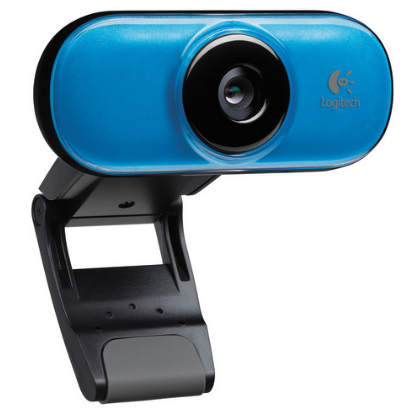
Logitech, well known in the global market for many years, delights its users with new products and updates. Please note that the last official driver update was on September 21, 2012. This driver is suitable for operating systems such as Windows XP, Windows Vista, Windows 7, and Windows 8, so you can be sure of its compatibility. On our website, you can download the official driver for the Logitech C210 webcam completely free of charge. The file size is only 71 MB.
After the download is complete, simply run the installation file to install the driver on your computer. If you have any difficulties setting up the device, please leave a comment – we will try to help you. All files available for download on our site are thoroughly checked for viruses, so you can be sure of their safety. If you encounter any errors, be sure to take screenshots so that we can provide you with more accurate support.
Q&A
How do I download the driver for the Logitech C210 webcam?
To download the driver, visit our website, where you will find the official driver for Logitech C210. Click the download link; the file size is 71 MB.
Which operating systems does the Logitech C210 driver work on?
The Logitech C210 driver is compatible with Windows XP, Windows Vista, Windows 7, and Windows 8.
What should I do if I can’t install the driver?
If you have problems with installation, leave a comment on our website, and we are ready to help you resolve the difficulties you encounter.
Is the driver safe to download?
Yes, all drivers offered for download are manually checked for viruses and are considered completely safe for your computer.
What should I do if an error appears during installation?
If you encounter errors, take screenshots and describe the problem in the comments so that we can help you more effectively.
Download:
lws251.exe – Auto install (71.3 mb) v.13.51.823.0
LWS_Driver_Installer_x86.exe – only driver, for 32-bits (4.9 mb)
LWS_Driver_Installer_x64.exe – only driver, for 64-bits (5.3 mb)