
ZTE MF 180 USB Modem Drivers v.1.2059.0.8 Windows XP, Windows Vista, Windows 7, Windows 8
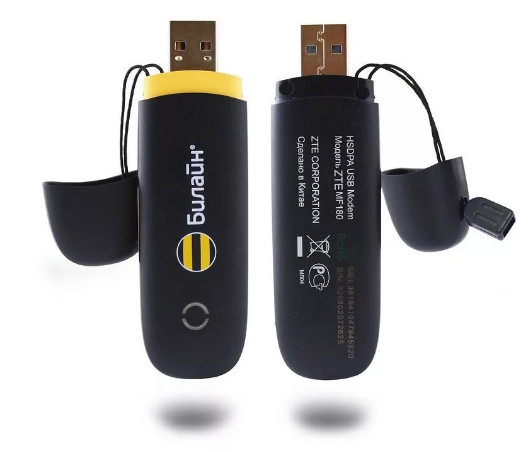
Many years ago, ZTE gained worldwide recognition. It should be noted that the latest version of the official driver was updated on September 10, 2009. You can be sure that this driver is fully compatible with operating systems such as Windows XP, Vista, 7, and 8. On our website, the original driver for the ZTE MF 180 USB modem is available for free download, and its size is only 6.3 MB. After downloading, simply click the installation file to begin the installation process on your computer. If, despite using our drivers, you still experience difficulties configuring the device, do not hesitate to let us know in the comments — we are always ready to help you. All files we provide for download undergo thorough manual virus checks, so you can be confident in their safety for your computer. If errors occur, try to save screenshots of them so that we can help you resolve the problem more accurately.
Questions and Answers
How do I install the driver for the ZTE MF 180 USB modem?
First, download the driver from our website — its size is 6.3 MB. Then run the installation file and follow the on-screen instructions to install it on your PC.
Is the ZTE MF 180 driver compatible with Windows 10?
Unfortunately, this driver does not officially support Windows 10, as the latest update version was released on September 10, 2009. It is compatible with Windows XP, Vista, 7, and 8.
What should I do if problems occur during driver installation?
If you are unable to configure the device, write to us in the comments. Specify what error occurs, and preferably attach screenshots for a more accurate diagnosis of your problem.
How can I ensure the safety of downloaded files?
All files offered for download undergo manual virus checks, which makes them completely safe for your computer.
Where can I find the driver for ZTE MF 180?
You can find and download the official driver for the ZTE MF 180 USB modem on our website without any paid services.
Download:
ZTE_mf_180_all.zip – (6.3 mb) v.1.2059.0.8