
ZTE Proprietary USB Modem Drivers v.1.2050.0.4, v.1.2074.0.8 Windows XP, Windows Vista, Windows 7
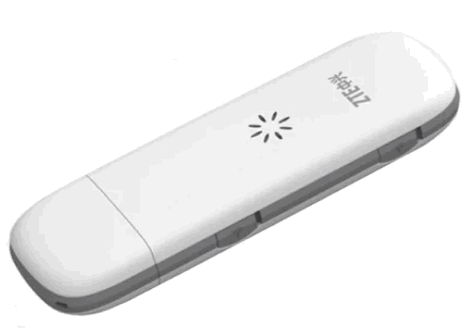
Many people are already familiar with the company ZTE, which is known internationally. We would like to draw your attention to the fact that the latest official driver release is dated July 4, 2011. You can be sure that this driver is fully compatible with Windows XP, Windows Vista, and Windows 7 operating systems. Our website offers the official ZTE Proprietary USB Modem driver, which you can download absolutely free of charge. The file size is only 0.7 MB. After downloading, simply click the installation file to begin the installation process on your computer. If you encounter difficulties configuring the device even when using our drivers, feel free to leave a comment — we will definitely provide you with support. All files we provide for download undergo thorough malware checks and are completely safe for your device. If any errors appear, don’t forget to take screenshots so that we can provide more accurate assistance.
Q&A
How long has ZTE been around?
ZTE has been known in the market for many years.
When was the latest ZTE driver update released?
The latest driver update was released on July 4, 2011.
Which operating systems is the ZTE driver compatible with?
The ZTE driver is compatible with Windows XP, Windows Vista, and Windows 7.
Where can I download the driver for the ZTE modem?
You can download the official driver for the ZTE modem for free from our website.
What is the size of the ZTE driver?
The driver size is only 0.7 MB.
What should I do if I can’t configure the hardware after installing the driver?
If the setup fails, write to us in the comments, and we will try to help you.
How safe are the files downloaded from your site?
All provided files are manually checked for viruses and are completely safe for your computer.
What should I do if an error occurs during installation?
Don’t forget to take screenshots of the error so that we can provide more accurate assistance.
Download:
ZTE_Corporation-1.2074.0.8.zip – manual install (0.7 mb) v.1.2074.0.8
3G_Modem_ZTE_MF626_2kXpVistaWin7.zip – Software (Beeline) and driver (11.7 mb) v.1.2050.0.4