
Epson L222 v.2.22, v.4.0.1.2, v.4.0.1.4 Windows XP, Windows Vista, Windows 7, Windows 8, Windows 8.1, Windows 10
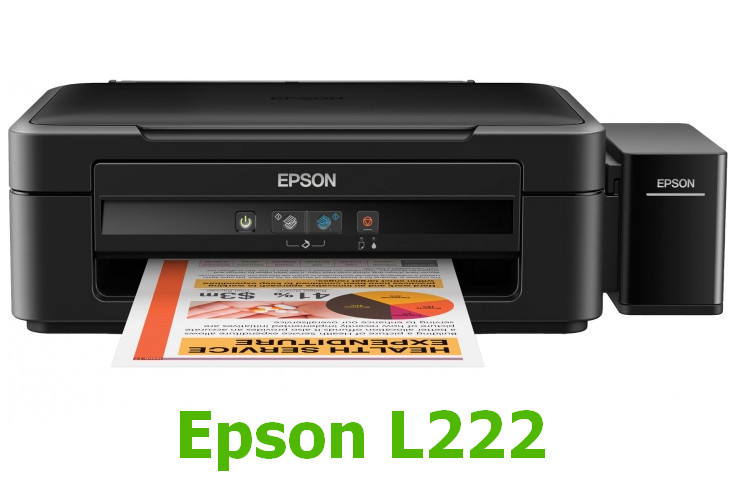
Epson, a company known worldwide for many years, offers its users many solutions. We are pleased to announce that the latest version of the official driver was updated on August 19, 2015. You can be sure that this driver is compatible with Windows XP, Vista, 7, 8, 8.1, and 10 operating systems. A free downloadable driver for the Epson L222 model is available on our website. Its size is only 26.23 MB. To install the driver, simply download the installation file and follow the on-screen instructions.
If you have any difficulties setting up the equipment despite using the provided drivers, please leave a comment, and we will try to help you. All files that we provide for download undergo thorough virus checks and are completely safe for your computer. If you encounter any errors, do not forget to take screenshots so that we can provide more accurate assistance.
Q&A
Who is the manufacturer of the Epson L222 driver and when was the last update made?
Epson, a company known worldwide, released the latest driver update on August 19, 2015.
Which operating systems does the Epson L222 driver support?
The Epson L222 driver is compatible with various versions of operating systems, including Windows XP, Windows Vista, Windows 7, Windows 8, Windows 8.1, and Windows 10.
Where can I download the Epson L222 driver for free?
You can get the official Epson L222 driver for free on our website. The file size is only 26.23 MB.
What steps should be taken after downloading the driver?
After you download the driver, simply click the installation file and follow the instructions to install it on your computer.
What should I do if there are problems installing the driver?
If you were unable to set up the equipment, please leave a comment, and we will try to help you. It will also be helpful to attach screenshots of any errors if they occur.
How safe are the files offered for download?
All our files undergo thorough manual checking and are absolutely safe for your computer.
Download:
L222_x86_222.zip – printer, 32 bits (26.3 mb) v.2.22 (2.22.00.00) – 19.08.2015
L222_x64_222.zip – printer, 64 bits (29.7 mb) v.2.22 – 19.08.2015
L220_WW_WIN_4012_41.zip – scanner, 32-64 bits (23.2 mb) v.4.0.1.2
L220_WW_WIN_4014_41.exe – scanner, 32-64 bits (23.2 mb) v.4.0.1.4 – 24.09.2018