
HP Color LaserJet Professional CP5225 v.6.3.0.21178 Windows XP, Windows Vista, Windows 7, Windows 8, Windows 8.1, Windows 10
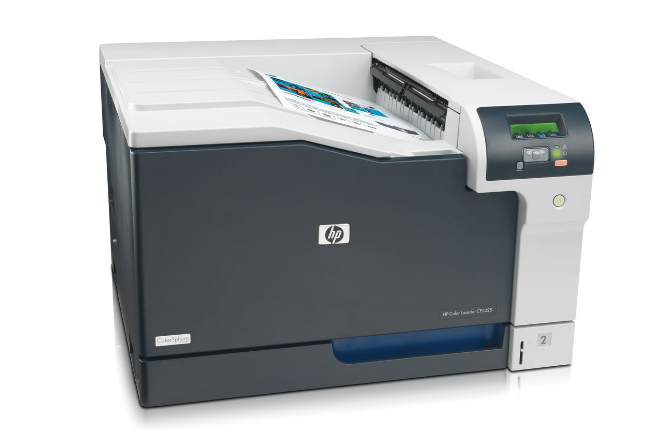
HP has been known on the international stage for many years. We inform you that the current driver version was updated on September 23, 2016. This driver is compatible with operating systems such as Windows XP, Windows Vista, Windows 7, Windows 8, Windows 8.1, and Windows 10. On our website, you can find the official driver for the HP Color LaserJet Professional CP5225 printer, which is offered for free download. Its size is only 17.5 MB. After you download the file, simply click it to begin installation on your computer. If you encounter difficulties setting up the equipment even when using our drivers, please leave a comment, and we will try to help you. All files available for download on our website undergo thorough virus checks and are completely safe for your computer. If errors occur, do not forget to take screenshots; this will help us provide more accurate support.
Q&A
When was the HP driver last updated?
The official driver update was performed on September 23, 2016.
Which operating systems is this HP Color LaserJet Professional CP5225 driver suitable for?
This driver is compatible with several versions of Windows, including Windows XP, Windows Vista, Windows 7, Windows 8, Windows 8.1, and Windows 10.
Where can I download the driver for the HP Color LaserJet Professional CP5225 printer?
You can download the official driver for free from our website. Its size is only 17.5 MB.
What should I do after downloading the driver?
After downloading, go to the installation file and install it on your computer.
If there are problems installing the driver, how can I get help?
If you have difficulties setting up the equipment, leave a comment, and we will definitely help you sort out the situation. Also, do not forget to take screenshots of any errors if they appear, so that we can advise you better.
How can I ensure the safety of downloaded files?
All files we offer for download undergo thorough manual virus checks and are considered completely safe to use.
Why should I trust HP?
HP is a well-known brand with an international reputation that has existed for many years and offers high-quality printing solutions.
Is there any advice for solving driver problems?
If you encounter any problems while using our drivers, feel free to ask for help in the comments – we are ready to provide the necessary support.
Download:
upd-ps-x32-6.3.0.21178.exe – PostScript, for Win 7, 8, 8.1, 10 32 bits
upd-pcl5-x32-6.1.0.20062.exe – PCL5, for Win 7, 8, 8.1 32 bits
upd-pcl6-x64-6.3.0.21178.exe – PCL6, for Win 7, 8, 8.1, 10 64 bits
upd-ps-x64-6.3.0.21178.exe – PostScript, for Win 7, 8, 8.1 , 10 64 bits
upd-pcl5-x64-6.1.0.20062.exe – PCL5, for Win 7, 8, 8.1 64 bits
CP5220-PCL6-default-install-v1.1.exe – for Windows XP, Vista 32-64 bits (51 mb)