
HP Laserjet 500 color m551 v.7.0.0.29 Windows XP, Windows Vista, Windows 7, Windows 8, Windows 8.1, Windows 10
Q&A
What is known about HP and its drivers for the HP Laserjet 500 color m551 printer?
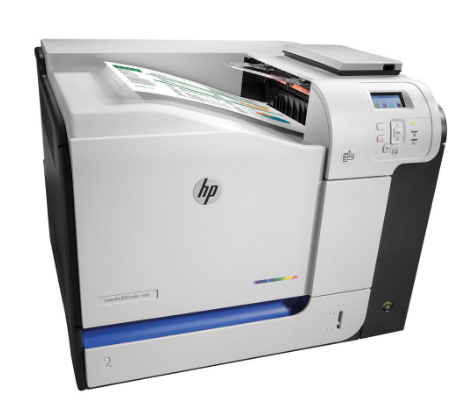
HP has been known in the global market for many years. The latest driver update for the HP Laserjet 500 color m551 printer was released on March 10, 2015. This driver is fully compatible with operating systems such as Windows XP, Windows Vista, Windows 7, 8, 8.1, and 10. You can download this driver for free from our website; its size is only 21 MB. To install the driver, simply download it and run the installation file on your computer. If you encounter problems installing the equipment, leave a comment – we will try to help you. All files we provide are thoroughly checked for viruses, making them safe for your device. If you encounter any errors, don’t forget to take screenshots so that we can offer a more accurate solution to your problem.
How do I install the HP Laserjet 500 color m551 driver?
To install the HP Laserjet 500 color m551 driver, first download it from our website. Make sure the program is compatible with your operating system. After downloading the file, simply double-click the installation package and follow the on-screen instructions to complete the installation.
Why should you trust our download files?
All files on our website undergo strict manual virus scanning, making them completely safe to use. We care about user safety and guarantee the protection of your data when using our drivers.
What should I do if there are problems installing the driver?
If you have difficulties installing the driver, write to us in the comments. We are ready to help you. Don’t forget to also attach screenshots of the errors so that we can identify the problem faster and suggest the correct solution.
Download:
LJEnt-color-M551-Drv-no-installer_12297.exe – for 64-bits Windows XP OS.
CLJ_M551_sw_win_full_solution_13284.exe – Software and driver (Yandex Disk)