
Canon i-SENSYS LBP2900 v.R1.50 V3.30 Windows XP, Windows Vista, Windows 7, Windows 8, Windows 8.1, Windows 10
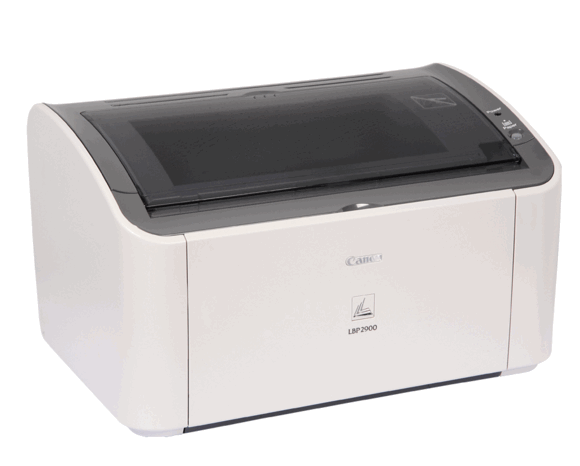
Canon has been known around the world for many years. It is worth noting that the latest official driver release is dated October 21, 2012. You can be sure that this driver is compatible with operating systems such as Windows XP, Windows Vista, Windows 7, 8, 8.1, and 10. On our website, you can find the official driver for the Canon i-SENSYS LBP2900 printer, which can be downloaded completely free of charge. The file size is only 9.2 MB. After downloading, simply click the installation file to install the program on your computer. If setting up the device still causes difficulties, feel free to leave a comment — we will be happy to help. All files we upload undergo thorough virus scanning and are completely safe for your computer. If any errors occur, do not forget to take screenshots so that we can provide you with more accurate support.
Q&A
What is the date of the last update of the Canon i-SENSYS LBP2900 driver?
The last driver update was released on October 21, 2012.
Does the Canon i-SENSYS LBP2900 driver support different operating systems?
Yes, this driver is compatible with Windows XP, Windows Vista, Windows 7, Windows 8, Windows 8.1, and Windows 10.
Where can I download the Canon i-SENSYS LBP2900 driver?
You can download the official Canon i-SENSYS LBP2900 driver for free from our website.
What is the size of the driver download file?
The driver size is 9.2 MB.
What should I do if I am unable to install the driver?
If the driver installation causes difficulties, leave a comment and we will try to help you.
What are the safety guarantees for the downloaded files?
All files on our website are manually scanned for viruses and are considered completely safe for your computer.
How can I get help in case of an installation error?
If an error occurs, take a screenshot of it and обязательно include it in the comment — this will speed up the support process.
Download:
Canon_LBP2900_R150_V330_W32_uk_EN_2.exe – 32 bits (9.2 mb) v.3.30.0.0 – 21.10.2012
Canon_LBP2900_R150_V330_W64_uk_EN_2.exe – 64 bits (10.9 mb) v.3.30.0.0 – 21.10.2012
LBP2900_R112_V302_Win_x32_FR_7.exe – (12.2 mb) v.3.02.0.0 – 25.09.2008