
Canon i-SENSYS MF3010 v.V20.95 Windows XP, Windows Vista, Windows 7, Windows 8, Windows 8.1, Windows 10
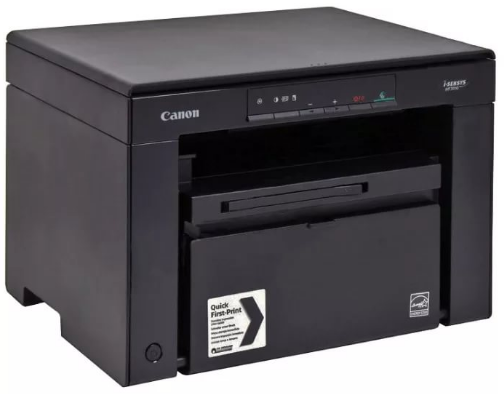
Canon, a company known worldwide for many years, continues to remain popular among users. We would like to draw your attention to the fact that the latest version of the official driver was released on November 12, 2015. This driver is compatible with several operating systems, including Windows XP, Windows Vista, Windows 7, Windows 8, Windows 8.1, and Windows 10.
On our website, you can easily download the official driver for Canon i-SENSYS MF3010 completely free of charge. The file size is only 19 MB. After you download this driver, simply open the installation file and follow the on-screen instructions to install it on your computer.
If you were unable to configure the device correctly even using our driver, feel free to leave comments – we will provide the necessary assistance. All downloads we offer undergo thorough virus checks, so you can be confident in their safety for your computer. If any errors occur, be sure to take screenshots so that we can provide more accurate assistance.
Q&A
When was the latest updated version of the Canon driver released?
The latest official version of the Canon driver was released on November 12, 2015.
How can I download the Canon i-SENSYS MF3010 driver?
You can download the Canon i-SENSYS MF3010 driver for free from our website. It is only 19 MB in size, and to install it, simply run the downloaded file.
Is the driver compatible with different operating systems?
Yes, this driver is compatible with Windows operating systems, including XP, Vista, 7, 8, 8.1, and 10.
What should I do if the device does not work after installing the driver?
If you were unable to configure the hardware using the provided drivers, please leave a comment, and we will try to help you.
What is the security level of the files offered for download?
All files that you can download on our website undergo thorough manual virus checks and are guaranteed to be safe for your computer.
How can I significantly improve the process of getting help with errors?
If you encounter errors during installation, we recommend taking screenshots and attaching them in the comments. This will help us provide support faster and more accurately.
Download:
MF3010MFDriversV2095W32RU.exe – for 32-bits (RU)
MF3010MFDriversV2095W32ukEN.exe – for 32 bits (ENG)
MF3010MFDriversV2095W64RU.exe – for 64-bits (RU)
MF3010MFDriversV2095W64ukEN.exe – for 64 bits (ENG)