
MediaTek MT7921 Wi-Fi 6/6E Wireless LAN Driver v.3.03.00.0723 Windows 10, Windows 11
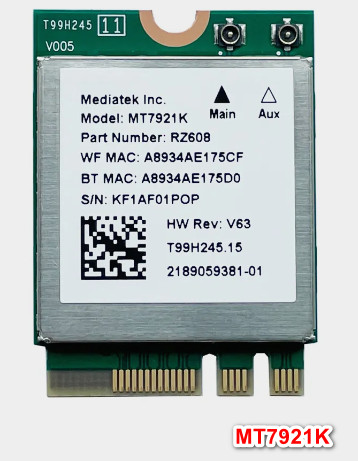
MediaTek, known to many around the world, has been on the market for many years. We are pleased to report that the latest official driver release took place on November 24, 2022. You can be sure that this driver is fully compatible with Windows 10 and Windows 11 operating systems. On our website, you can find and download the MediaTek MT7921 driver for Wi-Fi 6/6E for free. The file size is only 14.1 MB. After the download is complete, you need to open the installation file and install it on your computer. If you have any difficulties setting up the hardware, feel free to leave a comment — we are always ready to help. All files we offer for download are manually checked for viruses, which guarantees their complete safety for you and your device. And don’t forget to take screenshots of any errors that may appear so that we can provide you with more accurate assistance.
Q&A
What is the date of the latest MediaTek driver update?
The latest MediaTek driver update was made on November 24, 2022.
Can the driver be installed on Windows 10 and Windows 11?
Yes, this driver is compatible with Windows 10 and Windows 11 operating systems.
Where can I download the MediaTek MT7921 driver?
You can download the MediaTek MT7921 driver for free from our website.
What is the size of the MediaTek MT7921 driver?
The driver size is only 14.1 MB.
What should I do if installing the driver did not help?
If installing the driver did not solve your problem, leave a comment and we will help you resolve it.
How can we be sure of the safety of the downloaded files?
All files offered for download are manually checked for viruses and are guaranteed to be safe for your computer.
What information should I provide to get help?
We recommend taking screenshots of any errors you encounter so that we can provide more accurate assistance.
Download: