
Epson L3150 v.2.62, v.2.61, v.6.4.6.0 Windows XP, Windows Vista, Windows 7, Windows 8, Windows 8.1, Windows 10, Windows 11
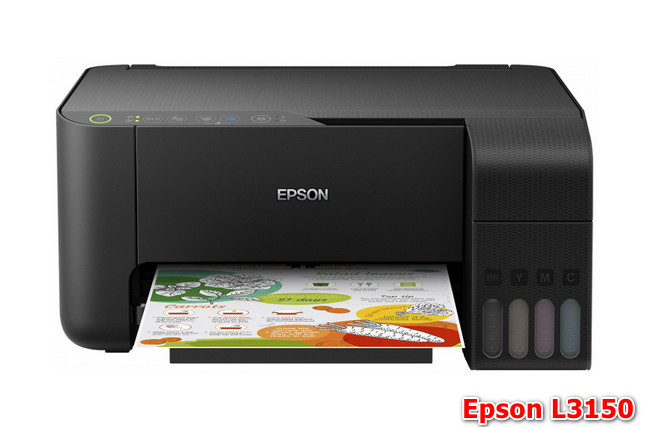
Epson, a company known worldwide for many years, provides its users with high-quality solutions. It is important to note that the latest driver update was released on January 29, 2021. You can be sure that this driver is compatible with operating systems such as Windows XP, Windows Vista, Windows 7, Windows 8, Windows 8.1, Windows 10, and Windows 11. On our website, you can download the official driver for the Epson L3150 model completely free of charge. The file size is only 27.3 MB. After downloading, simply click the installation file and follow the instructions to install it on your computer.
If you encounter difficulties setting up the device even after installing our drivers, please leave a comment, and we will try to help you. All files offered for download undergo thorough manual virus checks and are completely safe for your device. Don’t forget to take screenshots of any errors if they appear, so that we can provide you with more accurate assistance.
Q&A
Which operating system does the Epson L3150 driver support?
The Epson L3150 driver is compatible with Windows XP, Vista, 7, 8, 8.1, 10, and 11.
Where can I download the driver for the Epson printer?
The official driver for the Epson L3150 printer is available for free download on our website.
What is the file size of the Epson L3150 driver?
The Epson L3150 driver is only 27.3 MB in size.
What should I do if I have problems installing the driver?
If you encounter problems installing the driver, leave a comment, and we will try to help you.
How can I ensure safety when downloading the driver?
All files offered for download on our website are manually checked for viruses, making them completely safe.
What should I do if an error occurs during driver installation?
If you encounter errors while installing the driver, take screenshots of the problematic messages and send them to us for more accurate assistance.
Download:
L3150_x86_26201JAUsHomeExportAsiaML.exe – printer, 32 bits (27.8 mb) 2.62 – 29.01.2021
L3150_x64_26201JAUsHomeExportAsiaML.exe – printer, 64 bits (31.8 mb) 2.62 – 29.01.2021
EpsonScan2_L3150_65230_41_Signed_S.exe – scanner (60.9 mb) v.6.5.23.0 – 11.05.2020
L3150_x86_261.zip – printer, 32 bits (27.3 mb) v.2.61 – 20.10.2018
L3150_x64_261.zip – printer, 64 bits (31.2 mb) v.2.61 – 20.10.2018
EpsonScan2_L3150_6460.zip – scanner, 32-64 bits (26.7 mb) v.6.4.6.0 from 20.10.2018
ET-2710_L3150_UG_01_RU.pdf – user guide (4.1 mb)
L3100_L3110_SH_00_EN_RU_UK_KK.pdf – installation guide (0.4 mb)