
Epson L800 v.6.7.4, v.6.7.2 Windows XP, Windows Vista, Windows 7, Windows 8, Windows 8.1, Windows 10
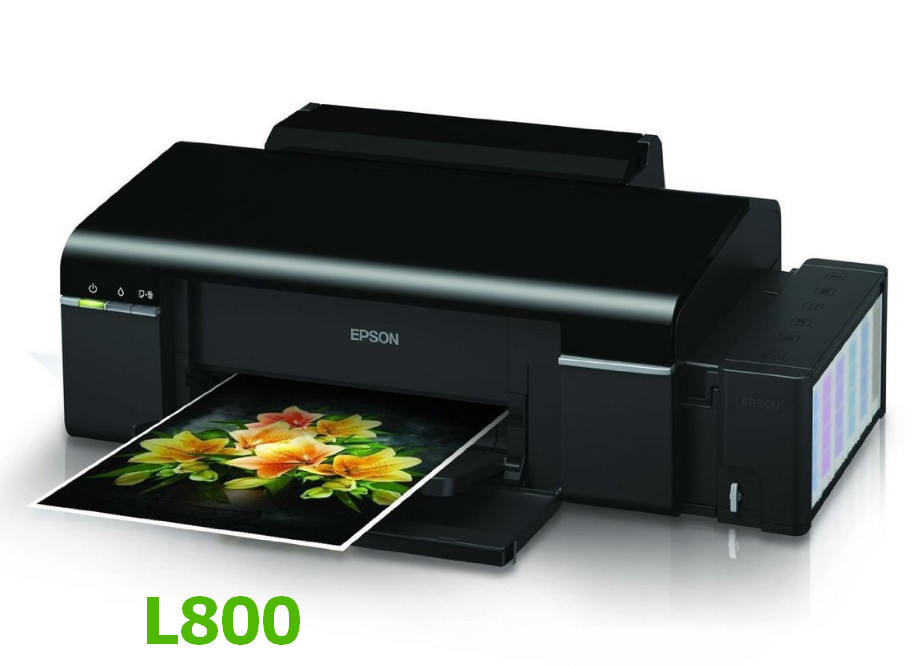
Epson, known worldwide for many years, is a recognizable brand. It is important to note that the latest official driver release is dated August 1, 2014. Rest assured, this driver is fully compatible with operating systems such as Windows XP, Windows Vista, Windows 7, 8, 8.1, and 10. On our website, you can download the official driver for the Epson L800 printer for free. Its size is only 23.3 MB. After the download is complete, simply open the installation file and follow the instructions to install it on your computer. If you were unable to set up the device even using our drivers, please leave a comment — we will be happy to help you. All files available for download are thoroughly checked for viruses and are completely safe for your device. If any errors occur, do not forget to take screenshots so that we can provide you with better assistance.
Q&A
What do I need to do to download the driver for Epson L800?
To download the Epson L800 driver, you need to visit our website, find the appropriate section, and download the file, which is only 23.3 MB in size. After that, simply run the installation file and follow the on-screen instructions to complete the installation.
Has the Epson L800 driver been updated recently?
The last official update for the Epson L800 driver was released on August 1, 2014, which means that no new versions have been released since then.
What equipment does the Epson L800 driver support?
The Epson L800 driver is compatible with a wide range of operating systems, including Windows XP, Vista, 7, 8, 8.1, and 10, making it a versatile solution for users working on various versions of Windows.
What should I do if I can’t install the driver?
If you have difficulties installing the driver, write to us in the comments, and we will try to help you solve the problem. It is also advisable to provide screenshots of the errors so that we can offer more accurate support.
Download:
L800_x32.zip – 32 bits (23.3 mb) v.6.7.4 (6.74.00.00 – 01.08.2014)
L800_x64.zip – 64 bits (24.04 mb) v.6.7.4 (6.74.00.00 – 01.08.2014)
L800_PRTDRV_x32_6.72_Home_Export.zip – 32 bits (18 mb) v.6.7.2 (6.72.00.00 – 04.09.2012)
L800_PRTDRV_x64_6.72_Home_Export.zip – 64 bits (18.8 mb) v.6.7.2 (6.72.00.00 – 04.09.2012)