
HP LaserJet 1200 v.6.4.1.22169 Windows XP, Windows Vista, Windows 7, Windows 8, Windows 8.1, Windows 10
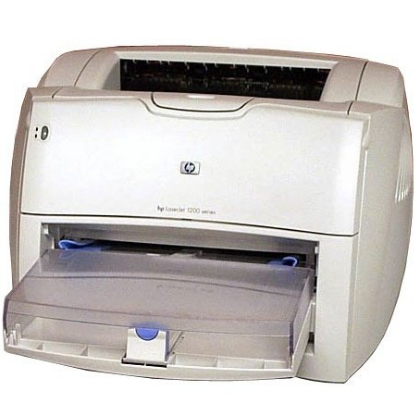
The well-known HP company has existed for many years. First of all, note that the latest official driver release is dated March 28, 2017. You can use it without worry on operating systems such as Windows XP, Windows Vista, Windows 7, Windows 8, Windows 8.1, and Windows 10. On our website you will find the official driver for the HP LaserJet 1200 printer, available for free download. The file size is only 17.5 MB. After you download the driver, simply double-click the installation file to install it on your computer. If you encounter difficulties setting up the equipment, feel free to leave comments — we are ready to help you. All files we offer for download undergo thorough virus scanning and are completely safe for your device. Please do not forget to take screenshots in case of errors so that we can provide you with the most accurate recommendations.
Q&A
When was the latest version of the driver for the HP LaserJet 1200 printer released?
The latest official driver update was released on March 28, 2017.
Which operating systems is this driver suitable for?
This driver is compatible with Windows XP, Windows Vista, Windows 7, Windows 8, Windows 8.1, and Windows 10.
How do I download the printer driver on the website?
You can download the HP LaserJet 1200 driver for free from our website. Its size is only 17.5 MB. After downloading, simply open the installation file and follow the on-screen instructions to install it.
What should I do if the driver installation was unsuccessful?
If you were unable to set up the equipment using the suggested drivers, please leave a message in the comments, and we will try to help you.
Are the files for download from your website safe?
All files available for download on our website undergo thorough virus scanning, which guarantees their complete safety for your computer.
How can I get help with driver-related problems?
If errors occur, try to take screenshots and attach them in the comments. This will help us provide more accurate recommendations for solving your problems.
Download:
Universal Drivers
upd-pcl5-x32-6.1.0.20062.exe – PCL 5, for Windows 7 / 8 / 8.1 – 32 bits (17.5 mb)
upd-pcl6-x32-6.4.1.22169.exe – PCL 6, for Windows 7 / 8 / 8.1 / 10 – 32 bits (16.1 mb)
upd-ps-x32-6.4.1.22169.exe – Post Script, for Windows 7 / 8 / 8.1 / 10 – 32 bits (17.3 mb)
Dot4x86.msi – USB (DOT4) communication driver, for Windows 8 / 8.1 / 10 – 32 bits (1.1 mb)
upd-pcl5-x64-6.1.0.20062.exe – PCL 5, for Windows 7 / 8 / 8.1 – 64 bits (18.9 mb)
upd-pcl6-x64-6.4.1.22169.exe – PCL 6, for Windows 7 / 8 / 8.1 / 10 – 64 bits (18.0 mb)
upd-ps-x64-6.4.1.22169.exe – Post Script, for Windows 7 / 8 / 8.1 / 10 – 64 bits (19.1 mb)
Dot4x64.msi – USB (DOT4) communication driver, for Windows 8 / 8.1 / 10 – 64 bits (1.5 mb)
For USB connected printers
upd-pcl6-usb-setup-x32-6.4.1.22169.exe – 32 bits
upd-ps-usb-setup-x32-6.4.1.22169.exe – 32 bits
upd-pcl6-usb-setup-x64-6.4.1.22169.exe – 64 bits
upd-ps-usb-setup-x64-6.4.1.22169.exe – 64 bits
Old drivers
ljP1000_P1500-HB-pnp-win32-ru.exe – for Windows XP / Vista / 7 – 32 bits (3.2 mb)
ljP1000_P1500-HB-pnp-win64-ru.exe – for Windows XP / Vista / 7 – 64 bits (3.5 mb)
lj1021ru.exe – PCL5e Point and Print Bundle, for Windows XP – 32 bits (4.8 mb)
lj1017ru.exe – PCL5e, PCL6, PS Driver Bundle, for Windows XP – 32 bits (4.0 mb)
Soft
park-v1.8.2.zip – HP Printer Administrator Resource Kit (18.7 mb)