
HP LaserJet M1120 MFP v.5.0 Windows XP, Windows Vista, Windows 7, Windows 8, Windows 8.1, Windows 10
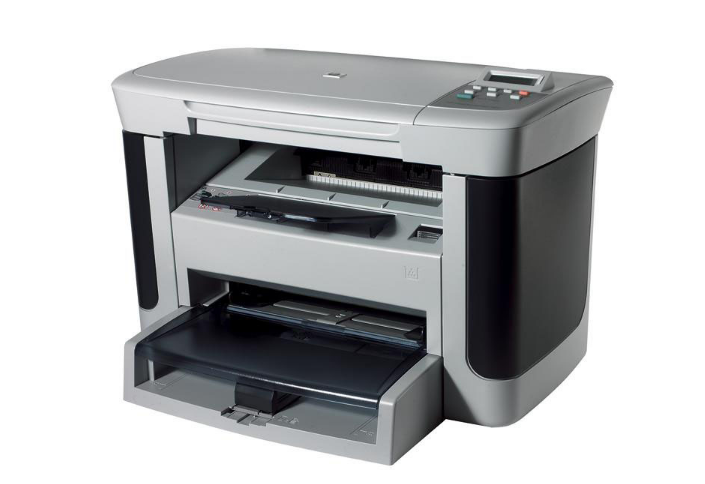
HP has been known worldwide for many years. Please note that the latest driver version was updated on August 11, 2015. You can be sure that this driver is compatible with the following operating systems: Windows XP, Windows Vista, Windows 7, Windows 8, Windows 8.1, and Windows 10. On our website, you can easily download the official driver for the HP LaserJet M1120 MFP printer. The file size is only 10.6 MB. After the download is complete, simply run the installation file and install it on your computer. If you have any difficulties setting up the equipment using our drivers, please write about it in the comments, and we will try to help you. All files that we offer for download are thoroughly checked for viruses, so they are completely safe for your computer. If any errors occur, don’t forget to take screenshots; this will help us resolve your issue more effectively.
Q&A
How long has HP been around?
HP is a well-known global brand and has been successfully operating in the market for many years, earning users’ trust.
When was the HP driver last updated?
The official driver update was released on August 11, 2015.
Which operating systems is the HP LaserJet M1120 MFP driver compatible with?
This driver is fully compatible with operating systems such as Windows XP, Windows Vista, Windows 7, Windows 8, Windows 8.1, and Windows 10.
Where can I download the HP LaserJet M1120 MFP driver?
You can find and download the official HP LaserJet M1120 MFP driver for free прямо from our website.
What is the size of the HP LaserJet M1120 MFP driver?
The driver size is only 10.6 MB, which makes it quite compact for quick downloading.
What should I do after downloading the driver?
After you download the driver, simply open the installation file and follow the instructions to install it on your computer.
What should I do if I can’t set up the equipment?
If you have difficulties with the setup, leave a comment, and we will try to help you solve the problem.
How safe are the downloaded files?
All files available for download on our website are thoroughly manually checked for viruses and are guaranteed to be safe for your computer.
What should I do if errors appear during installation?
If you encounter errors during installation, take screenshots of the problematic messages so that we can provide you with more accurate assistance.
Download:
ljM1120-hb-pnp-win64-ru.exe – for 64-bits Windows 12.9 MB
LJM1120-Full-Solution.exe – full Software and drivers 253.2 MB