
HP LaserJet Pro CP1215 v.6.4.1.22169 Windows XP, Windows Vista, Windows 7, Windows 8, Windows 8.1, Windows 10
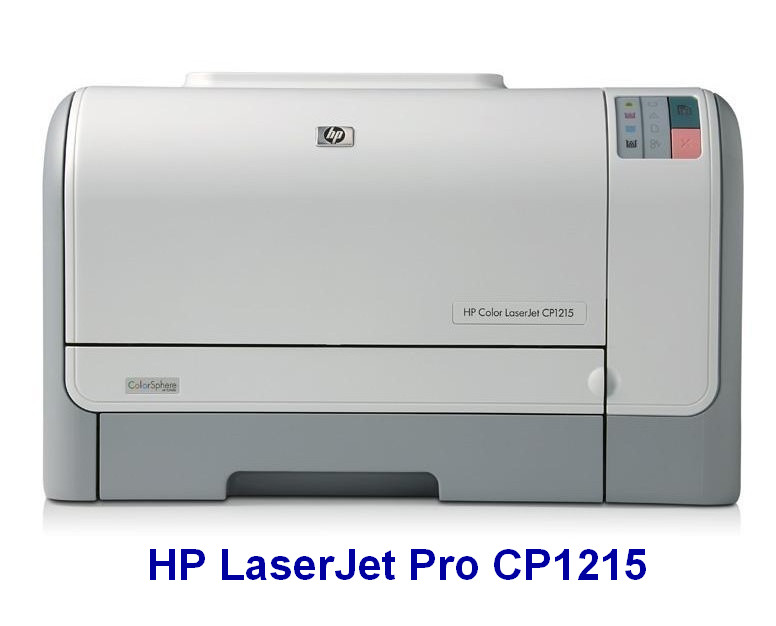
Hewlett Packard, known worldwide for many years, presents to your attention the current driver update, the latest of which was released on May 29, 2020. We assure you that this driver is fully compatible with Windows XP, Windows Vista, Windows 7, Windows 8, Windows 8.1, and Windows 10. On our website, you can download the official HP LaserJet Pro CP1215 driver for free. Its size is only 17.1 MB. After you download it, simply run the installation file to install the driver on your computer. If you are unable to configure the device using the provided drivers, do not hesitate to contact us through the comments — we are ready to help. All files available for download on our resource undergo thorough manual virus checks and are absolutely safe for you and your device. If any errors occur, be sure to take screenshots so that we can provide more qualified support.
Q&A
What is the latest driver update date for HP?
The latest official HP driver update was released on May 29, 2020.
On which operating systems can the HP LaserJet Pro CP1215 driver be used?
The HP LaserJet Pro CP1215 driver is compatible with Windows XP, Vista, 7, 8, 8.1, and 10.
What is the download size of the driver for HP LaserJet Pro CP1215?
The driver size is only 17.1 MB, which allows for a quick download.
What should I do if I was unable to configure the equipment using the driver?
If you have problems with setup, please leave a comment, and we will help you.
How can I make sure the files I download are safe?
All files we provide undergo thorough virus checks, which guarantees their complete safety for your computer.
How can I get more accurate help if an error occurs?
If an error occurs, take screenshots and send them to us so that we can offer you more precise solutions.
Download:
upd-pcl5-x32-6.1.0.20062.exe – 32 bits, PCL 5 (17.1 mb) v.6.1.0.20062 – 04.11.2015
upd-pcl6-x32-6.4.1.22169.exe – 32 bits, PCL 6 (16.2 mb) v.6.4.1.22169 dated 28.03.2017
upd-ps-x32-6.4.1.22169.exe – 32 bits, PostScript (17.3 mb) v.6.4.1.22169 – 28.03.2017
upd-pcl5-x64-6.1.0.20062.exe – 64 bits, PCL 5 (18.9 mb) v.6.1.0.20062 – 04.11.2015
upd-pcl6-x64-6.4.1.22169.exe – 64 bits, PCL 6 (18.1 mb) v.6.4.1.22169 – 28.03.2017
upd-ps-x64-6.4.1.22169.exe – 64 bits, PostScript (19.2 mb) v.6.4.1.22169 – 28.03.2017