
TP-LINK Archer T2U Nano v.190527 Windows XP, Windows Vista, Windows 7, Windows 8, Windows 8.1, Windows 10
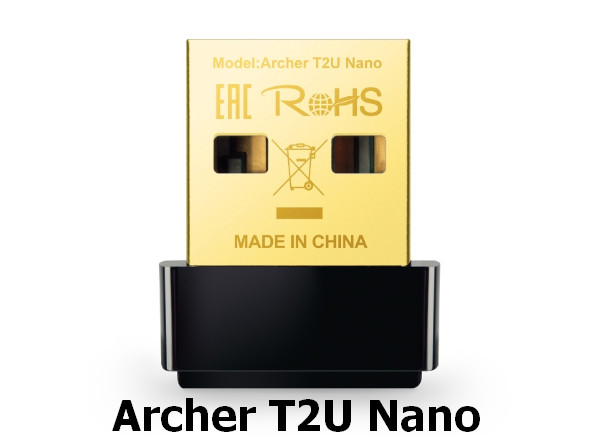
TP-LINK, known worldwide for many years, offers its users updates and drivers for its devices. It is important to note that the latest driver update was released on June 6, 2019. You can be sure that this driver is perfectly compatible with operating systems such as Windows XP, Windows Vista, Windows 7, Windows 8, Windows 8.1, and Windows 10.
On our website, you can find the official TP-LINK Archer T2U Nano driver, available for free download. Its size is only 10.2 MB. After downloading, simply open the installation file and install it on your computer. If you encounter difficulties setting up the hardware despite the installed drivers, feel free to leave comments — we will be happy to help you.
All files we provide undergo thorough virus checks, and you can be sure they are safe for your computer. If any errors occur during installation, please take screenshots so that we can offer more precise recommendations and assistance.
Q&A
How do I download the TP-LINK Archer T2U Nano driver?
To download the driver, you need to go to our website, find the corresponding file, and click the download button. The driver is 10.2 MB and is available for free.
Which operating systems is the TP-LINK driver compatible with?
The TP-LINK Archer T2U Nano driver is compatible with Windows XP, Vista, 7, 8, 8.1, and 10.
What should I do if I have problems installing the driver?
If you have difficulties with installation, leave a comment on the website, and we will try to help you solve your problem. It will also be helpful if you attach screenshots of the errors, if any occurred.
Does the site guarantee the safety of downloaded files?
Yes, all files available for download on our website are manually checked for viruses and are absolutely safe for your PC.
Download:
Archer_T2U_Nano_V1_190527_Win10.zip – Windows 10 (10.2 mb) – 06.06.2019
Archer_T2U_Nano_V1_190527_Win8.1.zip – Windows 8.1 (9.7 mb) from 06.06.2019
Archer_T2U_Nano_V1_190527_Win8.zip – Windows 8 (9.7 mb) from 06.06.2019
Archer_T2U_Nano_V1_190527_Win7.zip – Windows 7 (9.7 mb) from 06.06.2019
Archer_T2U_Nano_V1_190527_WinXP.zip – Windows XP (8 mb) from 06.06.2019
Archer_T2U_Nano(EU)_V1_180831_Win.zip – Windows XP/7/8/8.1/10 (49 mb) from 30.11.2018