
TP-LINK Archer T4U Plus v.1030.41.0514.2020 Windows XP, Windows Vista, Windows 7, Windows 8, Windows 8.1, Windows 10
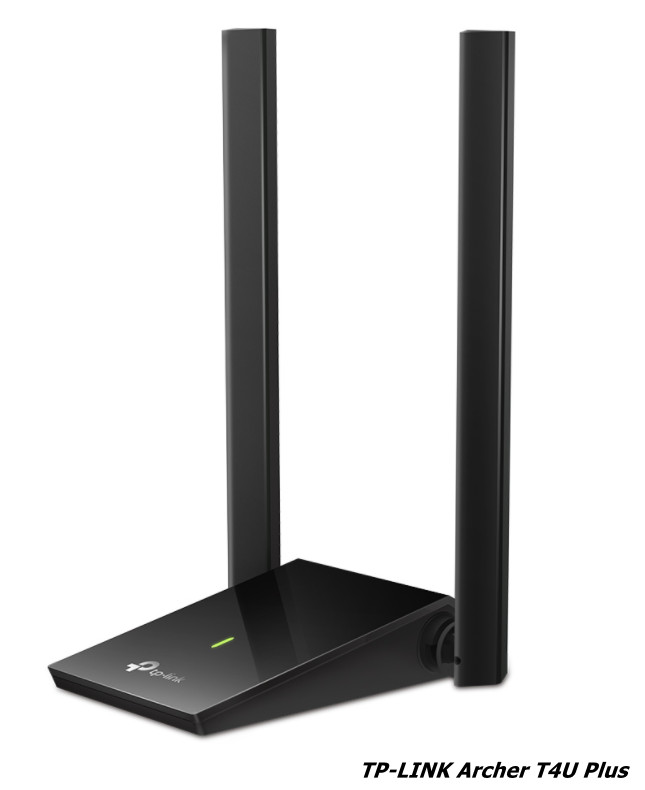
TP-LINK, known worldwide, presents the Archer T4U Plus model, familiar to many for many years. Let us clarify that the latest driver release was recorded on August 21, 2020. This driver is compatible with operating systems such as Windows XP, Windows Vista, Windows 7, Windows 8, Windows 8.1, and Windows 10, so you will not encounter any difficulties with installation. You can download the official TP-LINK Archer T4U Plus driver for free from our website – its size is only 14.4 MB. After the file has been downloaded, simply double-click the installation package and follow the instructions to install it on your computer. If you encounter difficulties configuring the hardware even after installing the driver, do not hesitate to leave a comment – we will be happy to help you. All files offered for download undergo thorough virus checks, which guarantees their safety for your device. If any errors appear, do not forget to take screenshots; this will help us provide you with more accurate support.
Q&A
What is the date of the latest driver update for TP-LINK Archer T4U Plus?
The latest driver update was released on August 21, 2020.
On which operating systems will the TP-LINK Archer T4U Plus driver work?
The driver is compatible with Windows XP, Vista, 7, 8, 8.1, and 10.
Where can I download the official driver for TP-LINK Archer T4U Plus?
You can download the official driver for free from our website.
How do I install the driver after downloading it?
After you download the driver, simply run the installation file to begin installation on your PC.
What should I do if I cannot configure the device with the new driver?
If you have any difficulties, leave a comment and we will help you.
Are the files offered for download safe?
Yes, all files are manually checked for viruses and are completely safe to use.
How much memory does the TP-LINK Archer T4U Plus driver take up?
The driver size is only 14.4 MB.
Why is it important to take screenshots of errors?
Screenshots of errors will help us better understand your problem and provide more accurate recommendations for solving it.
Download:
Archer_T4U_Plus(EU_US)_v1.0_win10_200821.zip – Windows 10 (14.4 mb) v.1030.41.0514.2020 – 21.08.2020
Archer_T4U_Plus(EU_US)_v1.0_win81_200821.zip – Windows 8.1 (11.8 mb) v.1030.41.0514.2020 of 21.08.2020
Archer_T4U_Plus(EU_US)_V1.0_Win8_200821.zip – Windows 8 (11.8 mb) v.1030.41.0514.2020 of 21.08.2020
Archer_T4U_Plus(EU_US)_V1.0_Win7_200821.zip – Windows 7 (11.8 mb) v.1030.41.0514.2020 of 21.08.2020