
TP-LINK TL-WN821N v.181023, v.121016, v.140918 Windows XP, Windows Vista, Windows 7, Windows 8, Windows 8.1, Windows 10
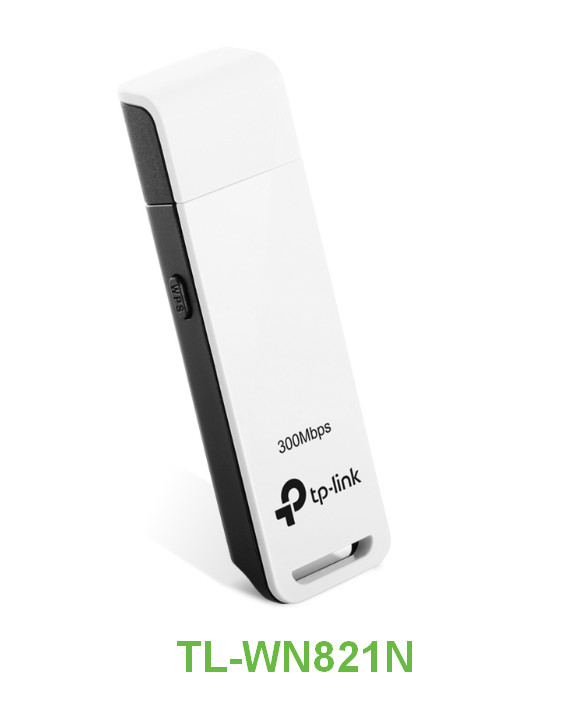
TP-LINK has been known in the global market for many years. Please note that the latest driver version was updated on November 9, 2018. You can be sure that this driver is compatible with operating systems such as Windows XP, Windows Vista, Windows 7, Windows 8, Windows 8.1, and Windows 10. On our website, you can download the official TP-LINK TL-WN821N driver for free, and its size is only 42 MB. After downloading, you just need to open the installation file and follow the instructions to install the driver on your computer. If you have any difficulties setting up the hardware, feel free to leave comments, and we will try to help you. All files available for download on our resource undergo thorough virus checks and are completely safe for your device. If you encounter any errors, take screenshots of them so that we can offer you a more accurate solution.
Q&A
What is known about TP-LINK and its drivers?
TP-LINK, known worldwide with many years of experience, offers a wide range of networking solutions. The latest driver version was released on November 9, 2018. This driver is compatible with various operating system versions, including Windows XP, Vista, 7, 8, 8.1, and 10. On our website, you can download the official driver for TP-LINK TL-WN821N for free, which is small in size at only 42 MB. After the download is complete, simply run the installation file and follow the installation instructions on your computer. If you have any difficulties setting up the hardware, please leave a comment, and we will help you. It is also worth noting that all files we offer undergo thorough virus checks and are absolutely safe for your device. We recommend taking screenshots of errors if they occur so that we can provide more accurate assistance.
How do I download and install the TP-LINK TL-WN821N driver?
To download the TP-LINK TL-WN821N driver, go to our website, where it is available for free download. The file is 42 MB in size. After downloading, double-click the installation file and follow the on-screen instructions to install it on your PC.
What should I do if there are problems installing the driver?
If you have difficulties installing or configuring the driver, feel free to contact us in the comments. We will try to help you resolve the issues you encounter. We also recommend taking a screenshot of the error so that we can find a solution to your problem more quickly.
How safe are the drivers available for download?
All drivers we offer on our website are manually checked for viruses. This means they are safe to download and can be installed on your computer without risking harm to its operation.
Which operating systems does the TP-LINK TL-WN821N driver support?
The TP-LINK TL-WN821N driver is compatible with several operating systems, including Windows XP, Vista, 7, 8, 8.1, and 10. This makes it a versatile solution for users with different versions of Windows.
Download:
TL-WN821N_EUUS_V6_181023_Win.zip – rev.6, Windows XP/7/8/8.1/10 (42 mb) v.181023 – 09.11.2018
TL-WN821N_V4_Driver.zip – rev.4, Windows XP/Vista/7 (6.9 mb) v.121016 – 16.10.2012
TL-WN821N_V4_140918.zip – rev.4, Windows XP/Vista/7/8/8.1 (6 mb) v.140918 – 18.09.2014
TL-WN821N_V3_Driver.zip – rev.3, Windows XP/Vista/7 (8.9 mb) v.111116 – 16.11.2011
TL-WN821N_V3_win8-beta.zip – rev.3, Windows 8 (7.8 mb) v.121130 – 30.11.2012
TL-WN821N_WN822N_100629.zip – rev.2, Windows XP/Vista/7 (30 mb) v.10.06.29 – 29.06.2010