
TP-Link TL-WN722N v.180807 Windows XP, Windows Vista, Windows 7, Windows 8, Windows 8.1, Windows 10
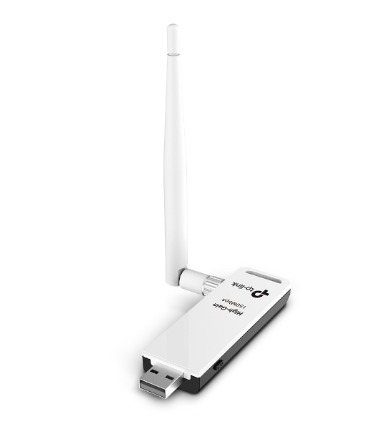
TP-Link, known internationally, has existed for many years. Please note that the latest driver updates were released on August 20, 2018. This driver is fully compatible with operating systems such as Windows XP, Windows Vista, Windows 7, Windows 8, Windows 8.1, and Windows 10. You can download the official TP-Link TL-WN722N driver completely free from our website. Its size is only 45 MB. After downloading, simply open the installation file and install it on your computer. If you encounter difficulties configuring the hardware despite using our drivers, feel free to leave a comment — we will provide the necessary assistance. All files we provide for download undergo thorough virus scanning and are completely safe for your device. If any errors occur, do not forget to take screenshots so that we can help you faster and more accurately.
Q&A
How long has the TP-Link company guide existed and when was the driver last updated?
TP-Link has been known in the global market for many years. The company’s driver was last updated on August 20, 2018.
Which operating systems is the TP-Link TL-WN722N driver suitable for?
This driver is compatible with various versions of Windows, including XP, Vista, 7, 8, 8.1, and 10, providing great versatility for users of different systems.
Where can I download the TP-Link TL-WN722N driver and what is its size?
You can download the official TP-Link TL-WN722N driver completely free from our website, and its size is only 45 MB.
What should I do after downloading the TP-Link TL-WN722N driver?
After the download is complete, you need to open the installation file and install it on your personal computer. It is a simple process that does not require special skills.
What should I do if I cannot configure the hardware using the drivers?
If you have difficulties configuring the hardware even after installing our drivers, please leave a comment, and we will be happy to help you.
How is the safety of downloaded files ensured?
All files offered on our website for download undergo thorough manual virus scanning, which guarantees their safety for your computer.
Do I need to take screenshots of errors if they occur?
Yes, we recommend taking screenshots of errors if you encounter any problems. This will help us understand your situation more accurately and provide qualified assistance.
Download:
TL-WN722N(EUUSES)_V3_180807_Win.zip – version V3 (45 mb) – 20.08.2018
TL-WN722N(EU_US_ES)_V2_V3_170726_Wins.zip – version V2, V3 (45.7 mb) – 26.07.2017
TL-WN722N(EU)_V2_161112_Windows.zip – version V2 (20.6 mb) – 12.11.2016
TL-WN722N_V1_140918.zip – version V1 (7 mb) – 18.09.2014
TL-WN722N_V1_Driver_140624_RU.zip – version V1 (12.8 mb) – 26.04.2014